Interactive stream ideas that turn viewers into players
Interactive stream ideas that turn viewers into players

The formats that work best all share one trait: viewers change what happens next. Chat-controlled challenges, live polls with real stakes, and viewer co-op sessions consistently beat passive commentary streams for chat activity and return visits. Here's a shortlist you can run tonight:
- Chat-controlled gameplay — viewers vote on your next move via chat commands; needs only a poll widget or Discord bot.
- Choose-your-adventure stream — chat picks the story branch; runs off a simple text poll, no overlay required.
- Live poll with a reward loop — ask one clear either/or question per segment; a Streamlabs or StreamElements poll widget handles it in minutes.
- Mini-game overlay — chat guesses or competes through a browser-source game layered over your gameplay feed.
- Viewer co-op session — invite chat members into your lobby directly; works cleanest with a crossplay compatibility checker so nobody's shut out.
- Community challenge night — set a shared goal (beat a boss, hit a target) chat votes to attempt.
- Game-selection vote — let chat decide what you play next using a shareable Streamer Mode link.
Most of these need nothing heavier than a browser-source overlay pasted into OBS. Limiting each vote to three options prevents decision paralysis and keeps the pace tight enough to go live in minutes, not hours.
Key Takeaways
The strongest interactive streams give viewers a real stake in the outcome, cap choices at three, and repeat a predictable loop episode to episode.
| Point | Details |
| --- | --- |
| Start with low-effort formats | Polls, Q&A and music quizzes need only a widget and can go live in minutes. |
| Cap votes at three options | More choices split attention and cause decision paralysis, slowing participation. |
| Cast the first vote yourself | Self-voting or pre-stream polling avoids dead air while chat warms up. |
| Build a repeatable loop | A recap, mid-stream decision and next-episode tease drive return viewership. |
| Use PickThe.Games for game picks | Streamer Mode gives viewers a shareable voting link with a live OBS leaderboard for crossplay-checked titles. |
Table of Contents
- Interactive stream ideas by effort level
- How to set up interactive elements without wasting your pre-stream time
- Best practices that keep viewers actually participating
- A retention loop template worth stealing
- What goes wrong with interactive streams (and how to fix it)
- What actually moved the needle for me
- Try PickThe.Games for your next interactive stream
- Tools and reading to get started fast
- Frequently asked questions
- Sources
Interactive stream ideas by effort level
You don't need a production budget to make a stream feel collaborative. What matters is picking a format that matches the time you actually have before going live. Here's the full menu, sorted from "five-minute setup" to "plan this the night before."
Low-effort: ready in minutes
These need nothing more than a poll widget or a chat command and a bit of nerve to ask the first question.
1. Live polls and instant votes. What it is: a single yes/no or A/B/C question tied to your next in-game decision. Setup: a Streamlabs or StreamElements poll widget, live in under five minutes. Viewer hook: chat picks your class, weapon, or route, and sees the result change on screen instantly.
2. Q&A segments. What it is: an open floor where chat asks and you answer, ideally themed ("ask me about my worst clutch play"). Setup: no tools needed beyond your mic, though a moderator bot to queue questions helps at scale. Viewer hook: getting your question picked and read aloud.
3. Music or trivia quizzes. What it is: chat guesses song titles, game trivia, or lore facts for points. Setup: an overlay like That's My Song, which listens to chat guesses through a browser source and tallies scores automatically. Viewer hook: climbing a live leaderboard.
4. Rate-my-setup or reaction rounds. What it is: you show something (a build, a clip, fan art) and chat votes a score. Setup: zero tools, just a poll or emote-based reaction count. Viewer hook: seeing their vote swing the average.
Chat prompt template: "Chat, you've got 60 seconds. Type 1 for [option A], 2 for [option B], 3 for [option C]. Whatever wins, I'm doing it."Medium-effort: worth a short prep session
These need a little setup before you go live but pay off with stronger participation.
5. Viewer-controlled gameplay. What it is: chat votes on major decisions (which route, which upgrade, which NPC to trust) at fixed checkpoints. Setup: a poll widget plus a plan for how often you'll pause for votes, usually every 10 to 15 minutes. Viewer hook: chat genuinely steers the run.
6. Tier lists and rankings. What it is: you and chat build a live tier list of games, characters, or strategies together. Setup: a shared on-screen list (a simple text overlay works) updated as votes come in. Viewer hook: arguing for their pick to move up.
7. Blind unboxings or mystery picks. What it is: chat votes on which mystery item, game, or challenge you open next. Setup: pre-load a handful of options behind a simple poll. Viewer hook: the reveal moment, decided entirely by them.
8. Group game-selection votes. What it is: instead of you picking what to play, chat swipes or votes on it using a shareable link. Setup: create a board and turn on Streamer Mode, then paste the link as an OBS browser source. Viewer hook: watching the shortlist narrow in real time.
9. Viewer co-op lobbies. What it is: pulling chat members directly into your session. Setup: check crossplay compatibility first so platform mismatches don't kill the plan. Viewer hook: the chance to actually play alongside you, not just watch.
Poll phrasing template: "Poll's up: should we [Option 1], [Option 2], or [Option 3]? You've got two minutes, then we're locking it in."High-effort: plan it like an episode
These need real prep but deliver the strongest retention because viewers come back to see what happens next.
10. Serialised microdramas. What it is: an ongoing storyline across multiple streams where chat decisions from last episode carry consequences into this one. This mirrors the structural logic behind why serialised content is gaining traction across video and audio formats generally: a narrative arc gives people a reason to show up next time.
11. Multi-episode prediction tournaments. What it is: a bracket-style prediction game running across several streams, with chat forecasting outcomes and climbing a season-long leaderboard. Setup: a spreadsheet or overlay tracking scores, refreshed at the top of each episode.
12. Collabs and IRL-adjacent events. What it is: bringing in another streamer or a real-world challenge (a charity goal, a community meetup) that chat helped choose. Setup: coordination in advance, plus a clear voting stage days before the event. This category, along with challenge-based and behind-the-scenes formats, consistently shows up in round-ups of high-engagement stream topics for good reason: audiences like feeling like insiders.
How to set up interactive elements without wasting your pre-stream time
You don't need to be technical to run any of this. Most of these tools work through the same basic mechanism: a unique URL, pasted into OBS as a browser source. Here's the fastest path for each toolchain.
1. OBS + browser source overlays. Grab the widget's share URL, open OBS, add a new Browser Source, paste the link, and set the resolution to 1920×1080. Most interactive overlay tools hand you this URL the moment you finish a quick setup form. Time to launch: under five minutes.
2. Streamlabs or StreamElements widgets. Build your poll or alert widget in the dashboard, copy the generated link, and drop it into OBS the same way. Time to launch: 5 to 10 minutes if you're building the widget from scratch, under a minute if you're reusing one.
3. Restream or BeLive basics. Both platforms bundle polls, Q&A, and guest-interview tools directly into their broadcast dashboard, which is worth knowing if you're multistreaming across platforms and want one control panel rather than five separate widgets. Time to launch: 10 to 15 minutes for first setup, faster after that.
4. PickThe.Games Streamer Mode. Create a board, flip on Streamer Mode, and paste the resulting link as an OBS browser source, giving viewers a live leaderboard as they vote on what you play. Time to launch: under five minutes once your board exists.
Quick tool comparison:- Poll widgets (Streamlabs, StreamElements): best for single-question votes, fastest to launch.
- Broadcast platforms (Restream, BeLive): best when you're already juggling multiple destinations and want polls built in.
- Game-selection tools (PickThe.Games): best when the interactive element is the game choice itself.
- Standalone overlays (music quizzes, chat-driven mini-games): best for a recurring segment that doesn't touch your main gameplay.
- Audio sync confirmed on quiz or sound overlays
- Moderator bot commands tested in a private channel first
- Vote counts visible on stream, not just to you
- A non-interactive fallback segment ready if the tech fails
- Choices capped at three per vote
Best practices that keep viewers actually participating
Interaction dies fastest when there's too much choice or too much silence. A few rules make the difference between a poll that fills instantly and one that limps along with two votes.
- Cap every choice at three options. More than that and viewers hesitate, and decision paralysis kills momentum before the poll even closes.
- Cast the first vote yourself. Self-voting or pre-stream polling removes the awkward dead air while chat warms up.
- Keep stakes social, not financial. Badges, voting power, and leaderboard spots work; anything resembling gambling mechanics invites platform trouble.
- Run a predictable loop. A recap at the top, a decision point mid-stream, and a tease at the end give people a reason to stay for the whole thing, not just the vote.
- Moderate deliberately. Set clear chat rules, use slow mode during high-traffic votes, and name specific moderators who know the join commands for co-op segments.
A retention loop template worth stealing
A single central question, tracked across an episode and teased into the next one, drives more repeat viewership than any number of one-off polls. This "asymmetrical bet" structure works because it gives chat a stake that outlasts the current stream.
1. Prepare three choices before you go live. No more.
2. Run the round. Present the choices, cast the first vote yourself, and give it two to three minutes.
3. Insert a mid-stream decision. Around the halfway point, let the outcome so far shape a second, smaller choice.
4. Update a visible leaderboard or scoreboard reflecting how chat's bets have played out.
5. Tease next episode's stakes before you sign off.
> The narrative arc is the retention engine: serialised formats work because they give viewers an open question that only next episode resolves. A poll with no consequence tomorrow rarely earns a return visit; one with a running scoreboard usually does.
A 30 to 60 minute stream fits this cleanly: five minutes of recap, 20 to 30 minutes of the main round, ten minutes for the mid-stream decision, and five minutes to close with the leaderboard and tease.
What goes wrong with interactive streams (and how to fix it)
The most common failure isn't a bad idea, it's dead air. You post a poll and nobody votes because chat doesn't know what's expected of them. The fix is the same self-voting habit mentioned earlier: cast the first vote out loud, narrate what you're doing, and give a countdown so silence never sits unexplained.
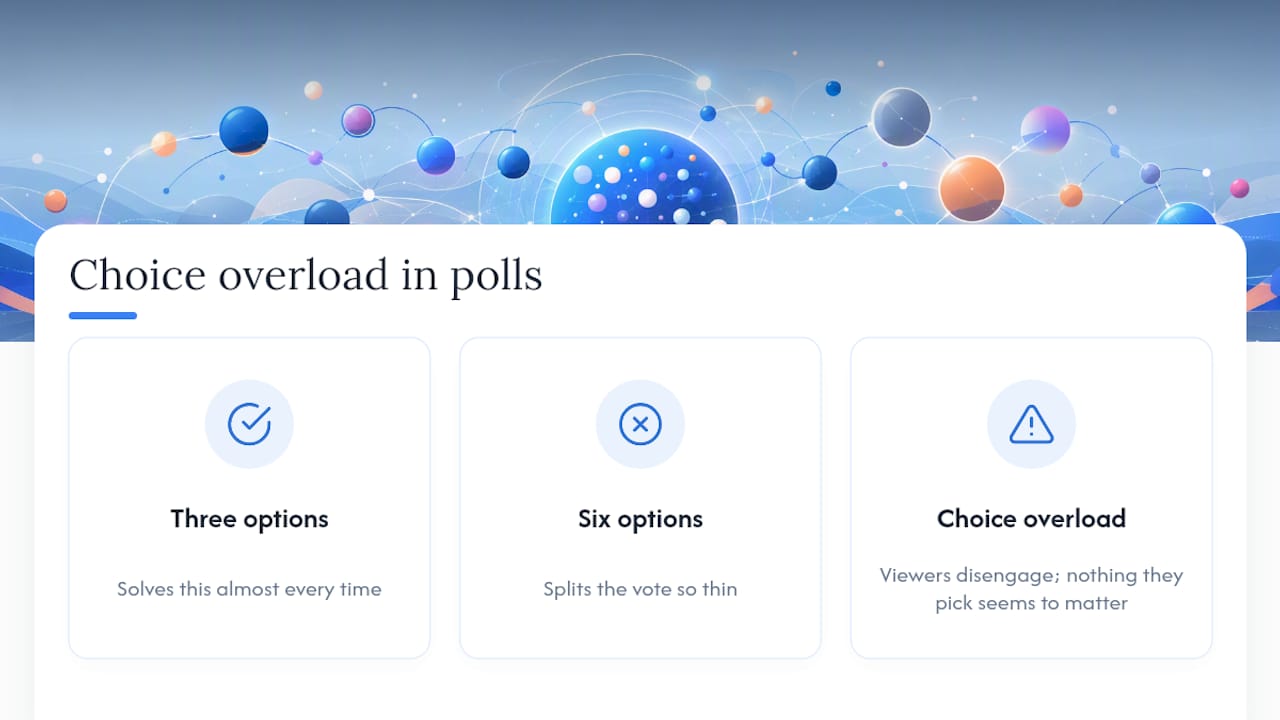
The second failure is choice overload. A poll with six options splits the vote so thin that no result feels decisive, and viewers disengage because nothing they pick seems to matter. Cutting every vote to three options, as covered above, solves this almost every time.
Technical failures are the third trap. An overlay that lags, a widget that doesn't render, or audio that's out of sync with a music quiz breaks immersion fast. Always have a fallback segment (commentary, a quick Q&A) ready to bridge the gap while you fix it live, rather than going silent.
Finally, moderation gaps let a handful of chat members dominate votes or spam commands, drowning out genuinely interested viewers. Named moderators with clear slow-mode authority during high-traffic votes keep the playing field even, and a pinned message explaining how joining works heads off most confusion before it starts.
What actually moved the needle for me
I ran a chat-controlled route vote for three straight streams instead of one. Chat activity roughly doubled by the third episode, and average view time stretched past the first hour. The trade-off: prep took longer, and moderating the vote window ate into spontaneity I used to lean on. Worth it for the replay value alone.
Try PickThe.Games for your next interactive stream
PickThe.Games solves the exact friction point most of the ideas above run into eventually: what do we actually play? Its Streamer Mode gives viewers a shareable link to vote on games in real time, complete with a live OBS-friendly leaderboard, and every suggestion is checked for crossplay compatibility so nobody in chat gets left out because of their platform.

Getting it running takes three steps: create a board with your shortlist of games, switch on Streamer Mode, then paste the generated URL into OBS as a browser source. Once it's live, your vote counts and leaderboard update automatically, giving you a rough read on engagement without touching a spreadsheet. If you're planning a co-op session, the group game voting app handles the shortlist for you, and the party games collection is a solid starting point for quick, low-stakes sessions chat can join mid-stream.
Tools and reading to get started fast
- Pickthe — viewer-driven game voting with Streamer Mode.
- Streamlabs and StreamElements — poll and alert widgets for quick setup.
- Restream and BeLive — multistream dashboards with built-in Q&A.
- Play On Stream and Stream Terrarium — ready-made interactive overlays.
Frequently asked questions
What are the easiest interactive stream ideas to start with?Live polls, Q&A segments, and music quizzes need the least setup, usually just a poll widget or a chat-listening overlay dropped into OBS as a browser source.
How do I stop my stream polls from getting ignored?Cast the first vote yourself, cap the options at three, and give a clear countdown so silence never feels like the poll failed.
What's the fastest way to let viewers pick what game I play?Create a board on Pickthe, switch on Streamer Mode, and paste the link into OBS as a browser source; viewers vote through the link and the leaderboard updates live.
Should rewards for interactive challenges be real prizes?Keep stakes social, badges, leaderboard spots, voting power, rather than monetary rewards, which risk drifting into gambling-adjacent territory.
How often should I refresh the vote or decision during a stream?Most streams benefit from one mid-stream decision point, roughly 30 to 40 minutes in, once early energy has settled but new viewers have still arrived.
Sources
- 7 marketing strategies to conquer decision paralysis
- Why serialized content is gaining traction across formats
- How to use polls in StreamYard
- Tech addictions: social media vs gambling