StreamElements alternatives for game nights and groups
StreamElements alternatives for game nights and groups
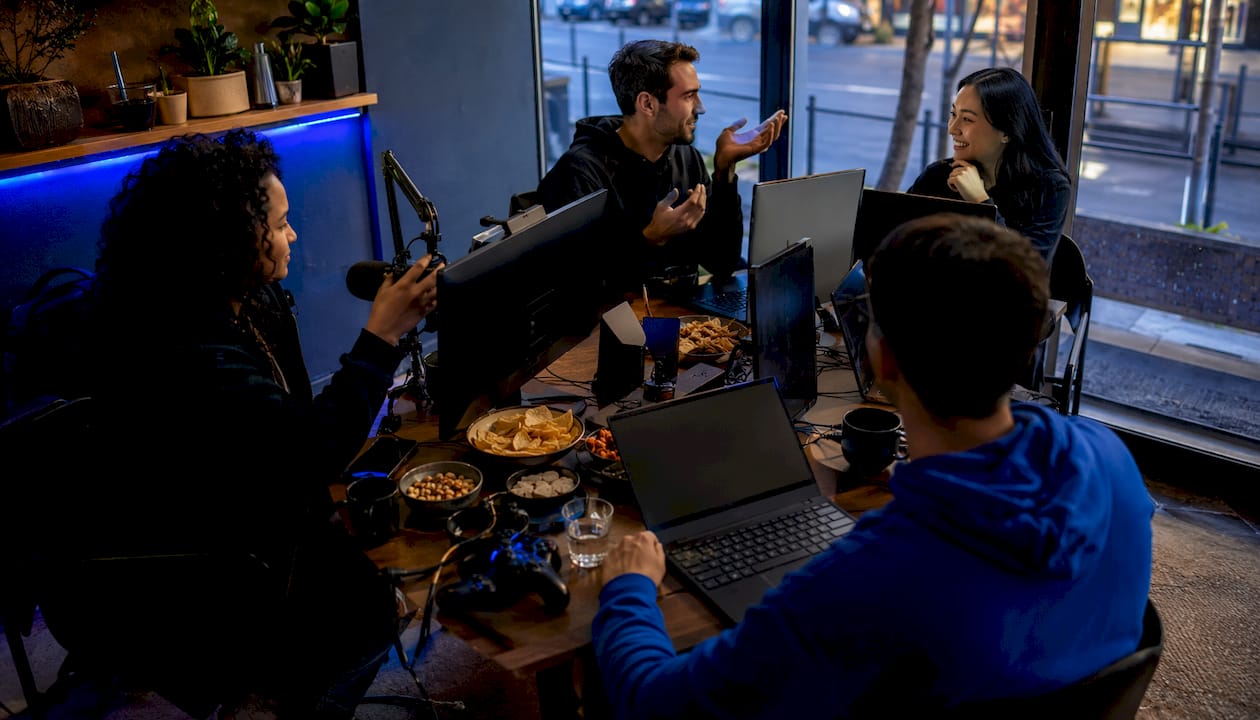
For gaming groups that need real voting and crossplay checks, PickThe.Games is the clearest fit. It handles the job no streaming tool does well: letting every player swipe, vote, and veto games while automatically checking crossplay compatibility across platforms. For everything else, your group needs a separate streaming stack.
Here is a quick shortlist of the tools worth considering alongside it:
- OBS Studio for scene production and browser source overlays
- Streamlabs for an all-in-one beginner setup with alerts and tipping
- Streamer.bot for advanced automation and custom event triggers
- Fossabot for cloud chat moderation across Twitch and YouTube
- Restream or StreamYard for multistreaming to several platforms at once
- Meld Multi for cloud-first production with built-in multistream
- Ko-fi for lightweight viewer tipping with minimal setup
Table of Contents
- Which StreamElements alternatives suit your group's needs?
- All-in-one suites versus modular stacks: which works better for groups?
- How to connect PickThe.Games with OBS and Discord for group game nights
- How good is community support across these tools?
- What security and privacy features should streamers look for?
- How much can you customise overlays and alerts?
- Do these tools have mobile apps?
- How do analytics and reporting compare across these tools?
- Pickthe is built for exactly this kind of group decision
- Key takeaways
Which StreamElements alternatives suit your group's needs?
| Tool | Best for | Core features | Setup | Performance | Platforms | Pricing |
|---|---|---|---|---|---|---|
| PickThe.Games | Group voting & crossplay checks | Voting, veto, crossplay checker, Discord bot, Streamer Mode/OBS leaderboard | Very easy | Cloud | Discord, OBS, Twitch | Free (ad-supported); optional ad-free sub |
| OBS Studio | Full production control | Scenes, browser sources, plugin ecosystem | Moderate | Local | Twitch, YouTube, Facebook | Free |
| Streamlabs | Beginners wanting one app | Alerts, overlays, tipping, Cloudbot, themes | Easy | Local (heavier CPU) | Twitch, YouTube, Facebook | Free; paid tiers available |
| Streamer.bot | Advanced automation | Custom triggers, scene control, chat integration | Advanced | Local | OBS, Twitch, YouTube | Free |
| Fossabot | Cloud moderation | Commands, moderation rules, multi-platform | Easy | Cloud | Twitch, YouTube | Free; paid tier available |
| Restream | Multistreaming | Simultaneous streams, consolidated chat, analytics | Easy–Moderate | Cloud | Twitch, YouTube, Facebook + more | Free tier (with branding); paid plans |
| StreamYard | Remote group shows | Browser studio, guest invites, multistream | Very easy | Cloud | Twitch, YouTube, Facebook + more | Free tier (with branding); paid plans |
| Meld Multi | Cloud-first production | Multistream, multi-chat, cloud production | Moderate | Cloud | Twitch, YouTube + more | Free tier; paid plans |
| Ko-fi | Lightweight tipping | Donation pages, memberships, micro-donations | Very easy | Cloud | Any (link-based) | Free; optional Gold plan |
User profiles at a glance:- Beginner: Streamlabs gets you live fastest with the least configuration
- Advanced/power user: OBS Studio + Streamer.bot gives you granular control without vendor lock-in
- Group-focused: PickThe.Games for voting and crossplay, Fossabot for moderation
- Low-CPU / older rig: Fossabot, Restream, StreamYard, Meld Multi, or PickThe.Games (all cloud-based)
- Multistreaming: Restream or StreamYard for the widest platform reach
All-in-one suites versus modular stacks: which works better for groups?
The core trade-off is convenience versus long-term control. All-in-one suites like Streamlabs bundle everything under one roof, which is great when you are getting started. Modular stacks take more time to assemble but give you fault isolation: if your chat bot goes down, your overlays keep running.
 All-in-one pros: faster setup, fewer accounts, consistent UI across features.
All-in-one cons: heavier local CPU load, harder to swap one component, potential vendor dependency.
All-in-one pros: faster setup, fewer accounts, consistent UI across features.
All-in-one cons: heavier local CPU load, harder to swap one component, potential vendor dependency.
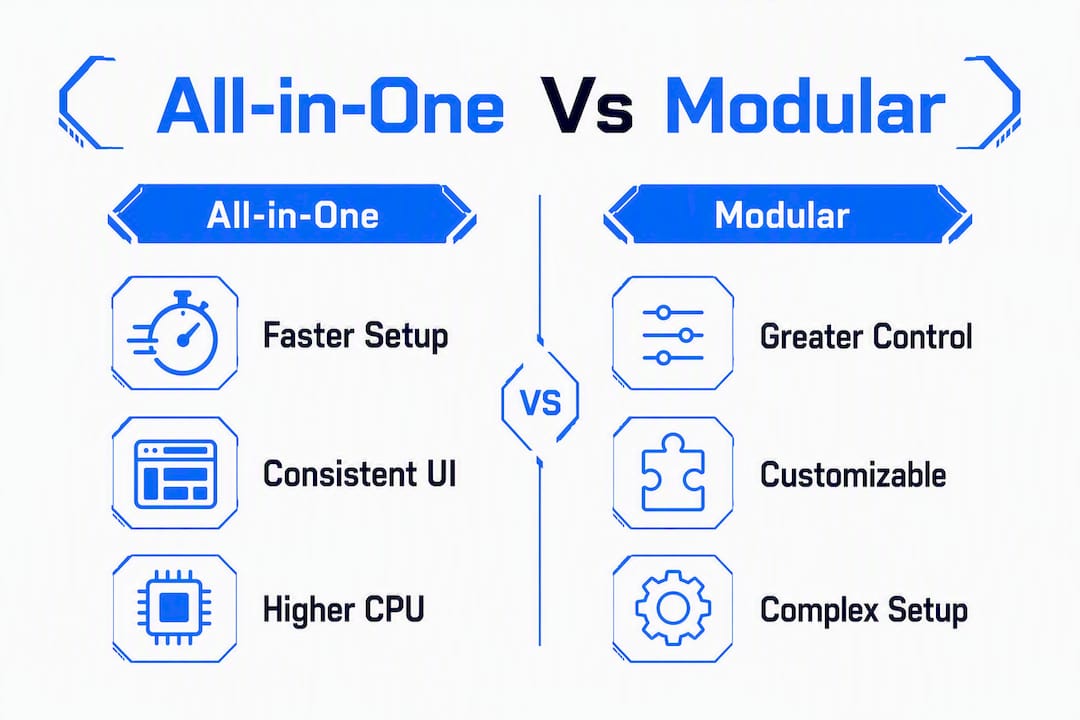 Modular pros: best-of-breed tools for each job, lower CPU overhead when cloud services handle overlays, easier to replace a single failing piece.
Modular cons: more accounts to manage, initial configuration time, occasional compatibility quirks between tools.
Modular pros: best-of-breed tools for each job, lower CPU overhead when cloud services handle overlays, easier to replace a single failing piece.
Modular cons: more accounts to manage, initial configuration time, occasional compatibility quirks between tools.
Three practical stack recipes for different group situations:
1. Quick start for beginners: Streamlabs Desktop + PickThe.Games voting link shared in Discord. Done in under 30 minutes.
2. Low-CPU modular stack for older rigs: OBS Studio + Fossabot (cloud moderation) + Ko-fi tipping page + PickThe.Games Streamer Mode for the OBS leaderboard. Local CPU stays low because only OBS renders locally.
3. Streamer + community stack for interactive group shows: OBS Studio + Streamer.bot for automation + Restream for multistreaming + PickThe.Games for viewer voting on what to play via shareable links.
Pro Tip: Before migrating overlays, export every custom CSS/HTML widget and save it locally. Swapping overlay providers means manually updating every Browser Source URL in OBS, and importers rarely capture bespoke widget code fully.How to connect PickThe.Games with OBS and Discord for group game nights
Setup checklist:1. Create a group board on PickThe.Games and copy your shareable voting link.
2. In OBS, add a new Browser Source and paste the voting link (or the Streamer Mode leaderboard URL) into the URL field. Set width and height to match your overlay layout.
3. Invite the PickThe.Games Discord bot to your server via the bot invite link, then assign it to your gaming channel.
4. Enable Streamer Mode in PickThe.Games so viewers can vote via the shareable link and results appear live in your OBS leaderboard.
5. Test the browser source before going live: right-click it in OBS and select "Refresh cache of current page" if it does not render.
Common issues and fixes:- Browser source not rendering: check that the URL is correct and that OBS has network access; refresh the cache.
- Double alerts: if you run Streamlabs and a second alert tool simultaneously, disable one alert source to avoid duplicates.
- Bot permission errors: the PickThe.Games Discord bot needs "Send Messages" and "Read Message History" permissions in the target channel.
- Crossplay mismatch errors: confirm each player's platform in the crossplay compatibility checker before the session starts.
How good is community support across these tools?
OBS Studio has one of the largest open-source communities in streaming, with active forums, a Discord server, and thousands of plugin contributors. Streamlabs offers community forums plus priority support for paid subscribers. Streamer.bot has a dedicated Discord where advanced users share automation scripts freely. Fossabot and Ko-fi both maintain responsive support channels, though response times vary. PickThe.Games is actively updated with community feedback shaping new features, and the Discord bot integration means your group can get help directly within your existing server.
What security and privacy features should streamers look for?
Cloud-based tools like Fossabot, Restream, and PickThe.Games handle data on their own servers, so check each provider's privacy policy before connecting your streaming account. OBS Studio is open-source and processes everything locally, which means no third-party data handling for your scenes. When enabling tipping through Ko-fi or similar platforms, use a dedicated payment processor account rather than your personal one. For Discord bot integrations, grant only the minimum permissions the bot needs and review them periodically.
How much can you customise overlays and alerts?
OBS Studio paired with browser sources gives you the deepest customisation: full CSS, HTML, and JavaScript control over every widget. StreamElements (the tool you may be moving away from) is known for this level of flexibility, and Streamlabs limits CSS customisation to its paid Ultra tier. Streamer.bot lets you build entirely custom interactions triggered by chat events. For groups, PickThe.Games offers a Streamer Mode leaderboard you can style within OBS using standard browser source techniques.
Do these tools have mobile apps?
Streamlabs has iOS and Android apps for monitoring streams on the go. OBS Studio is desktop-only. Fossabot, Restream, and StreamYard are browser-based and work on mobile browsers without a dedicated app. Ko-fi is fully mobile-friendly via browser. PickThe.Games works on mobile browsers, so group members can swipe and vote from their phones without installing anything.
How do analytics and reporting compare across these tools?
Restream provides consolidated analytics across every platform you stream to simultaneously, which is genuinely useful for groups running multi-platform shows. Streamlabs surfaces follower, subscriber, and tip data in its dashboard. Fossabot tracks chat activity and command usage. Ko-fi shows donation history and supporter data. PickThe.Games tracks voting results per session, so you can see which games your group consistently picks or vetoes over time, a small but handy data point for planning future game nights.
Pickthe is built for exactly this kind of group decision
Every streaming tool above handles overlays, alerts, or moderation. None of them solve the problem your group hits before the stream even starts: agreeing on what to play when half the group is on PC, one person is on PlayStation, and nobody wants to spend 20 minutes in a Discord argument.

PickThe.Games cuts that down to a few minutes. Your group swipes through games, votes in real time, and the crossplay compatibility checker automatically filters out titles that not everyone can join. The veto system means no one gets steamrolled. The Discord bot drops straight into your existing server, and Streamer Mode pushes a live leaderboard into OBS so your audience can influence the pick. Over 6,000 games in the database, no paywall for core features, and it works on any device with a browser. Head to the game voting app and set up your first group board tonight.
Key takeaways
For gaming groups, the best approach is to pair PickThe.Games for voting and crossplay checks with a separate streaming stack chosen to match your hardware and experience level.
| Point | Details |
|---|---|
| Voting and crossplay first | PickThe.Games handles group voting and crossplay checks; no streaming tool does this natively. |
| CPU matters | Cloud tools (Fossabot, Restream, StreamYard, Meld Multi) keep local CPU load low; Streamlabs renders locally and uses more resources. |
| Tipping fees | UK payment processors typically charge 2.9% + £0.30 per transaction; some platforms add a further fee without a paid plan. |
| Modular beats monolithic for groups | A curated stack (OBS + Fossabot + Ko-fi + PickThe.Games) reduces vendor dependency and is easier to troubleshoot. |
| Pickthe for group game nights | Pickthe's free voting app with Discord bot and OBS Streamer Mode is the fastest way to get your group playing the right game. |