How to plan an inclusive game night on mixed platforms
How to plan an inclusive game night on mixed platforms
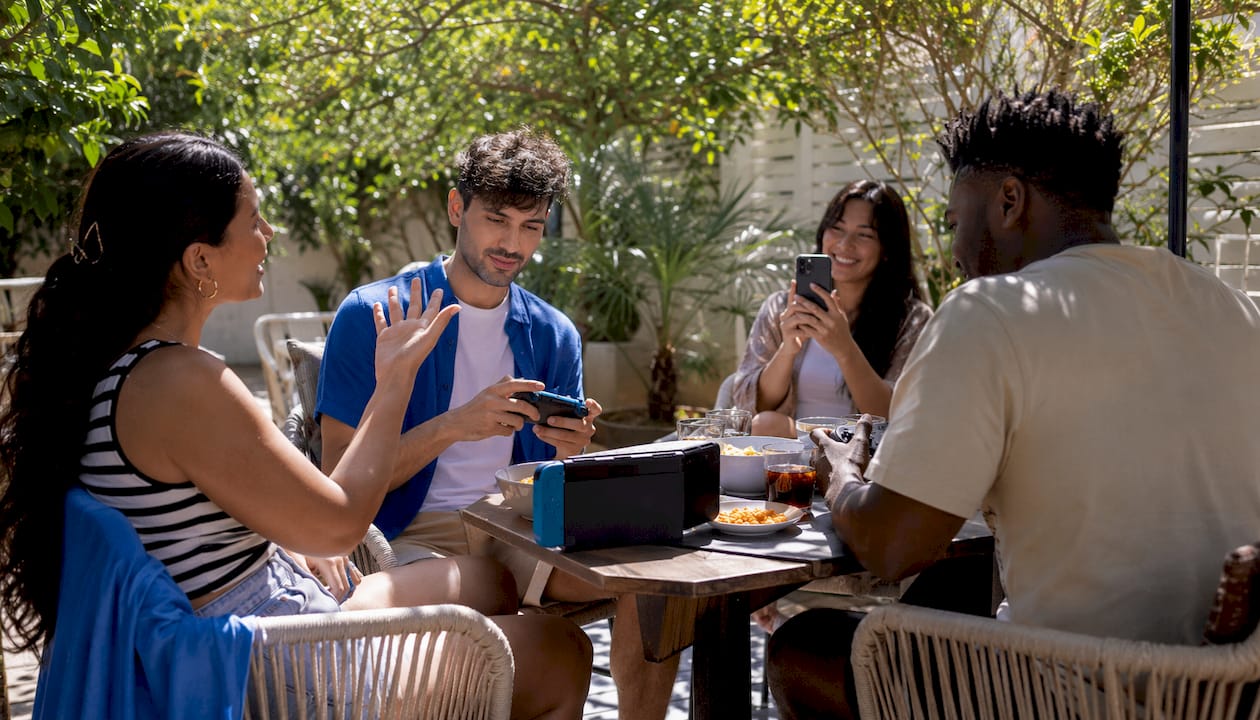
Use PickThe.Games to run a five-minute cross-platform vote, then open a Discord voice channel and start playing. That is the whole workflow. Create a voting board, add your candidate games with platform tags, share the link in your group chat, and let everyone swipe through options in real time. Once the vote closes, the winner is already on screen and your group can jump straight into a lobby.
> Cross-platform gaming is more than a convenience feature. Researchers describe it as a novel interaction paradigm that meaningfully expands social bases — but only when organisers actively remove the technical and social barriers that fragment groups across devices.
Pickthe's database covers 6,000+ games with real-time voting, a veto mechanic, and Discord integration built in. Industry commentary in 2026 positions cross-progression and unified profiles as standard player expectations, which means your group is already primed for this workflow. The three immediate steps: create the board, ask everyone to link their platform accounts in advance, and open the Discord voice channel before the vote ends.
*Table of Contents
- What does your 30-minute pre-session checklist look like?
- How do you pick games that work for everyone on mixed platforms?
- How do you handle the technical setup for a mixed-platform session?
- How do you make the night genuinely accessible and welcoming?
- How do you run a Pickthe vote and connect it to Discord?
- What are your options when crossplay fails on the night?
- Three ready-made game boards to get you started
- Who does what, and how long does preparation take?
- How do you schedule across different time zones?
- Key takeaways
- The part most organisers get wrong
- Pickthe makes the whole workflow faster
- Useful sources
What does your 30-minute pre-session checklist look like?
Run this the day before, or at minimum an hour before the session starts.
1. Confirm platform accounts. Ask every attendee which platforms they own. Identify who needs an Epic Games, EA, Activision, or Microsoft account to enable crossplay account linking for the shortlisted games. Send a message 24 hours ahead so nobody is scrambling at start time.
2. Set up voice chat. Create a Discord server or channel as your primary voice option. For console players without easy PC access, Discord's mobile app works as a universal fallback — it removes console party-chat friction and keeps audio consistent across every device.
3. Check game updates and DLC. Verify that every player has the latest patch installed and owns any required DLC. Many consoles do not auto-update, so a large patch discovered at session time can collapse the whole evening.
4. Test the connection. Run a quick five-minute lobby test to confirm NAT settings allow joining. Check platform server status pages for any ongoing outages.
5. Prepare a backup game. Agree on one fallback title before the vote, so there is no debate if the winner has a join error.
Pro Tip: Schedule a dedicated 30-minute precheck window and treat it as part of the event. Groups that skip this step are the ones still troubleshooting an hour in. *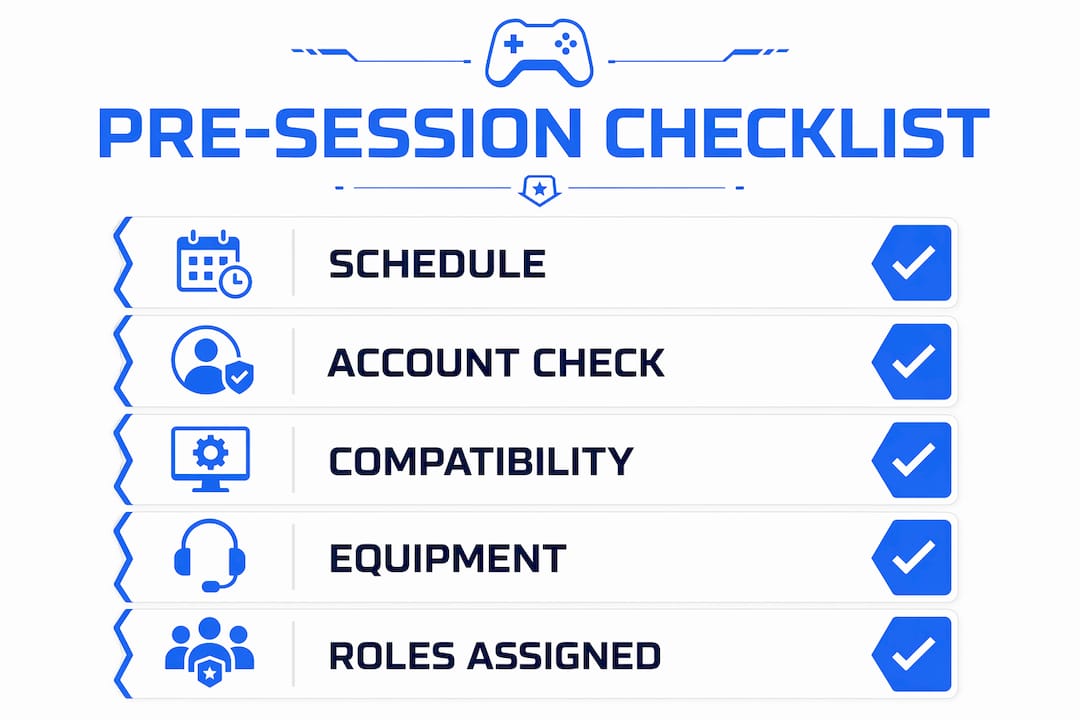
How do you pick games that work for everyone on mixed platforms?
Not every crossplay game is equally fair or accessible. Use these criteria to vet candidates before they go on the voting board.
Primary criteria
| Criterion | What to check |
|---|---|
| Crossplay support | Does the game support play between PC, console, and mobile simultaneously? |
| Input parity | Are controller and mouse/keyboard players balanced, or does one have a clear advantage? |
| Lobby type | Does it support custom or private lobbies, or only matchmaking queues? |
| Player count | Does the game support your group size without splitting into separate lobbies? |
| Session length | Can a match finish in 20 minutes, or does it demand multi-hour commitment? |
Secondary criteria
Free-to-play availability matters for inclusion: if one player has to purchase a title, they are effectively excluded until they do. Accessibility options — subtitles, remappable controls, colourblind modes — should be noted for any player who needs them. Moderator or private lobby features let you control the environment and apply your own code of conduct.
When full crossplay is not possible, favour co-op or party modes over competitive ones. Co-op removes the input-parity problem because everyone is on the same side, and finding games everyone can play across different devices becomes much simpler when you filter by co-op first.
Pro Tip: Use Pickthe's crossplay tags to filter by platform combination before building your board. It takes 90 seconds and eliminates half the compatibility debates. *How do you handle the technical setup for a mixed-platform session?
Voice, updates, and invite paths are where most sessions fall apart. Here is the practical fix for each.
- Voice chat: Use Discord as primary. Mobile Discord covers console players who cannot run the desktop app. Assign someone to confirm every attendee can hear and speak before the vote closes.
- Updates and DLC: Run your compatibility checks 24 hours ahead. If a player is missing a patch or DLC, they have time to download it without delaying the group.
- Friend and invite systems: Do not rely on platform-specific friend lists for a mixed group. Require a single third-party account (Epic, for example) for friend management and invites. Platform friend lists frequently fail across console and PC boundaries.
- Quick troubleshooting: If a player cannot join, check NAT type first (open NAT resolves most join failures), then verify the game region matches, then try a direct invite rather than a lobby code.
How do you make the night genuinely accessible and welcoming?
Technical crossplay is only half the picture. Social inclusion requires deliberate effort from the organiser.
An accessible esports event run by Konke Gamers, partnered with AbleGamers, demonstrated that adaptive controllers and custom adapters allow players with varied physical abilities to compete alongside anyone else. For your game night, that means preparing remappable input schemes and flagging low-complexity control options for any player who needs them.
> Inclusivity is best achieved by proactively removing barriers before the session starts, not by reacting to problems once they arise. Assign support roles, set expectations clearly, and build the safety net into the plan.
Assign a "session buddy" to each first-time or less-experienced player. Their job is to explain controls, answer questions, and keep the newcomer from feeling lost. Run one short onboarding match before the main vote if your group includes players who have never touched the chosen game. Set a brief code of conduct at the start: no unsolicited coaching, no blaming teammates, and a clear mute or report path if anyone crosses a line. The veto mechanic in Pickthe lets any player remove a game choice that feels uncomfortable or inaccessible, which keeps the selection process fair without requiring a debate.
*How do you run a Pickthe vote and connect it to Discord?
1. Create the board. Log into Pickthe and start a new voting board. Add your candidate games using the criteria checklist above. Apply platform tags so every attendee can see at a glance which titles support their device.
2. Share the invite link. Paste the board link into your Discord channel. Ask attendees to confirm their platform accounts are linked before they vote, to reduce join errors after the winner is chosen.
3. Run the timed vote. Set a short voting window (three to five minutes works well). Each player swipes through the candidates. Pickthe tallies preferences in real time.
4. Apply veto rules. Any player can veto one title per session. If a vetoed game would have won, the runner-up takes its place. This prevents a single unpopular choice from dominating.
5. Handle ties. If two games tie, run a one-round re-vote between those two titles only. Majority wins; the organiser breaks a persistent tie.
6. Surface the result in Discord. Post the winning game link directly into the voice channel. Set a two-minute countdown, then everyone opens the lobby simultaneously.
- Use Pickthe's Discord integration to post the result automatically, or copy the winner link manually if your server does not have the bot installed.
- Keep the board open after the session so players can reference it for next time.
What are your options when crossplay fails on the night?
> The best fallback plan is one you agreed on before the session, not one you negotiate while half the group is already frustrated.
When a crossplay title fails to connect, move to one of these in order:
- Split lobbies with rotation: Divide into console-only and PC-only groups for one round, then swap games so everyone plays together in the next.
- Browser-based party games: Titles that run entirely in a web browser require only a phone or laptop and eliminate platform compatibility entirely. These work as an immediate fallback with zero install time.
- Pass-and-play formats: Some party games support a single-device shared-screen mode. Not ideal for remote groups, but useful for anyone in the same room.
For fairness when input parity is the problem rather than connectivity, use handicap settings, randomised team assignment, or role rotation so no single input type dominates every round. Switch games when matchmaking has been broken for more than ten minutes, when join errors persist after two troubleshooting attempts, or when the majority of the group requests a change.
*Three ready-made game boards to get you started
These boards work as starting points. Add or remove titles using Pickthe's best crossplay games list to match your group's preferences.
Party night board (4–10 players)
- High-randomness, short-round titles with minimal onboarding friction.
- Prioritise free-to-play options so no one is excluded by cost.
- Accessibility tip: choose titles with colourblind modes and simple button layouts.
- Platform note: confirm mobile support if any player is joining from a phone.
Co-op night board (2–6 players)
- Teamwork-focused titles where everyone shares objectives.
- Co-op removes input-parity concerns because players are not competing against each other.
- Accessibility tip: look for difficulty sliders or assist modes that let less-experienced players contribute meaningfully.
- Platform note: verify that cross-save is supported if the session runs across multiple evenings.
Quick rounds board (5–20 minutes per match)
- Very short matches allow player rotation and keep energy high throughout the evening.
- Useful when your group has mixed availability and some players need to drop in or out.
- Accessibility tip: short sessions reduce fatigue for players with stamina or concentration considerations.
- Platform note: PC and Xbox crossplay titles are well-represented in this format.
Who does what, and how long does preparation take?
48–24 hours before: The organiser sends the platform account checklist and the Pickthe board link. Attendees confirm accounts and flag any accessibility needs. 6–2 hours before: The technical buddy verifies updates, DLC ownership, and platform server status. The organiser finalises the candidate game list and applies platform tags. 30 minutes before: The session buddy confirms voice chat is working for every attendee. The organiser opens the voting board and sets the timer. The technical buddy runs a quick lobby test. Roles at a glance:- Organiser: builds the board, manages the timeline, posts results in Discord.
- Technical buddy: handles updates, NAT checks, and troubleshooting during the session.
- Session buddy: supports newcomers and players with accessibility needs throughout the evening.
- Vote moderator: applies veto rules and breaks ties impartially.
How do you schedule across different time zones?
Time zone differences are one of the most common reasons a game night never happens at all. Fix it with a single scheduling tool rather than a thread of messages.
Use a free tool such as When2meet or Doodle to collect availability across your group before proposing a time. Both work in a browser with no account required, which keeps the barrier low. Once you have a window, state the session time in UTC alongside each player's local time in the invite message — do not assume everyone will convert correctly.
For groups spanning the UK and North America, a 9:00 PM BST slot lands at 4:00 PM Eastern, which is workable for most schedules. For UK and Australia, the overlap is tighter; a weekend afternoon session in BST often suits both. Keep sessions to two hours maximum when time zones are stretched, so no one is playing past midnight on a weekday.
*Key takeaways
Running a successful inclusive game night on mixed platforms comes down to voting fast, checking compatibility early, and assigning clear roles before anyone logs on.
| Point | Details |
|---|---|
| Vote first, argue never | Use Pickthe to run a timed vote before the session; the result is on screen in minutes. |
| Precheck 24 hours ahead | Confirm accounts, updates, and DLC the day before to avoid the update trap on the night. |
| Filter by crossplay and input parity | Choose games where every platform and input type can compete or co-operate fairly. |
| Assign buddies for inclusion | A session buddy for newcomers and a technical buddy for fixes keeps the evening moving. |
| Pickthe as your voting engine | Pickthe's game voting app handles real-time votes, vetoes, and Discord integration in one place. |
*The part most organisers get wrong
The failure point is almost never the game itself. It is the gap between "we agreed to play at 8pm" and "everyone is actually in a lobby together." Updates, missing accounts, and voice chat confusion eat that gap alive. The groups that run smooth sessions are the ones that treat the precheck as non-negotiable, not optional.
Input parity deserves more attention than it usually gets. A controller player in a fast-paced shooter against mouse-and-keyboard opponents is not having fun — they are practising patience. Choosing co-op modes or party titles sidesteps this entirely, and it is a better use of the evening than arguing about aim-assist settings.
One practical rule that saves more sessions than any other: require a single third-party account for all friend management and invites. Platform friend lists are unreliable across console and PC boundaries. One shared account system removes that variable completely.
*Pickthe makes the whole workflow faster
Picking a game for a mixed-platform group used to mean a long thread of messages, half of which ended in "oh, I don't have that one." Pickthe cuts that down to a few minutes. The game night picker lets your group vote on candidates filtered by platform, genre, and player count, with crossplay tags already applied so compatibility is visible before anyone votes.

The veto system means no one gets stuck playing something they dislike, and the Discord integration posts the result directly into your voice channel. For party nights specifically, the party multiplayer games page gives you a curated starting list you can pull straight into a board. Create your first board at PickThe.Games and have a winner chosen before your group has finished saying hello.
*Useful sources
> Cross-platform gaming functions as an interaction paradigm that expands social bases — but technical and social barriers require active management by organisers to keep groups genuinely inclusive.
| Source | What it covers |
|---|---|
| Games: Research and Practice — cross-platform as interaction paradigm | Academic mixed-methods study on crossplay inclusivity benefits and fragmentation risks |
| Northglen News — Konke Gamers esports event | Community organiser evidence on adaptive controllers and AbleGamers partnership |
| Epic Games — crossplay and account linking | Definitions, account-linking requirements, and crossplay title examples |
| GAMES.GG — cross-platform gaming in 2026 | Industry commentary on cross-progression and unified profile expectations |
| PickThe.Games — crossplay checker | Tool to verify platform compatibility before the session |
| PickThe.Games — how to find games everyone can play | Guide to filtering by mixed-group constraints |