Lock a Game in Under 5 Minutes with Group Game Voting on Discord
Lock a Game in Under 5 Minutes with Group Game Voting on Discord
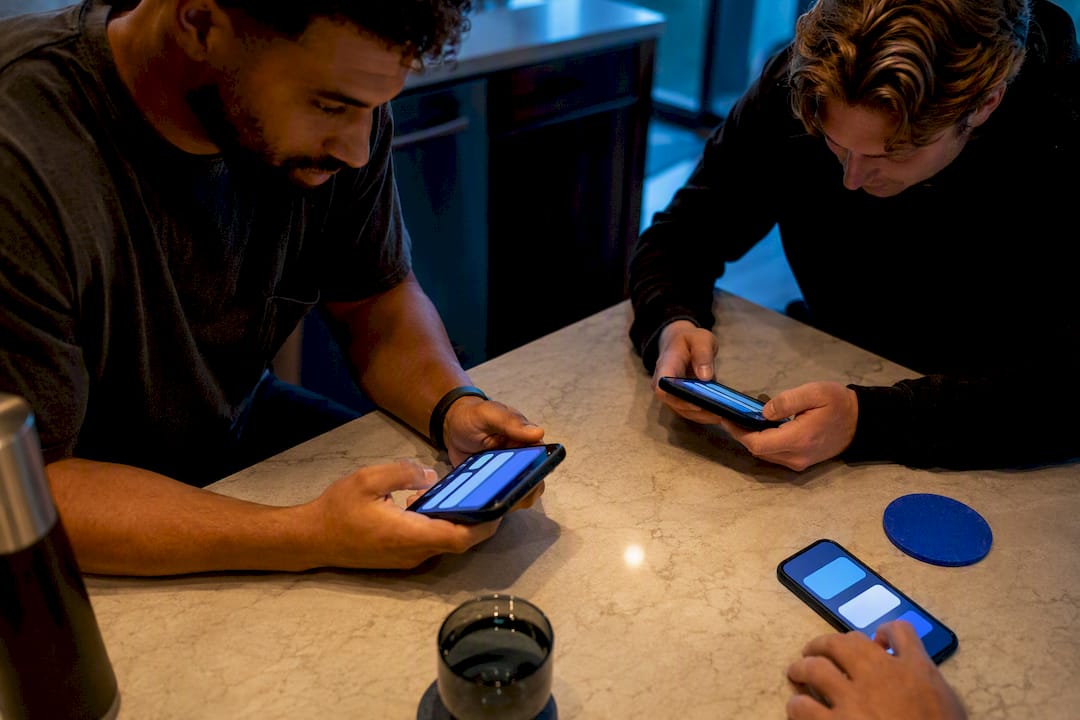
The fastest fix is a private, anonymous swipe or a 60 to 120 second yes/no vote run against a curated shortlist that's already been filtered for crossplay. Skip the group chat debate entirely. A tool like Pickthe can run this for you in minutes. Most groups get from "what are we playing?" to a locked-in lobby in under five.
*> TL;DR:
>
> - Most groups can complete the voting process in under five minutes by filtering options for platform compatibility before the vote and using anonymous swipe-based methods.
> - Crossplay checks and sharing platform ownership details beforehand prevent delays and minimize abandoned attempts due to connectivity issues or incompatible titles.
> - Swipe voting inside Discord with PickThe.Games balances speed and fairness, especially for groups of six or more, and effectively avoids peer influence from loudest voices.
> - Ties are resolved by each player using one veto, then re-running a short vote between the top two options to quickly reach a consensus.
> - Running a trial vote before the game night ensures that the chosen game is ready and accessible, reducing last-minute technical issues and improving group momentum.
*Table of Contents
- What is the fastest way to run group game voting?
- Which voting method actually works for your group?
- How do you avoid crossplay and ownership headaches?
- How does PickThe.Games speed up group voting?
- What actually keeps a game night from stalling?
- Try PickThe.Games before your next scheduled session
- Sources
- FAQ
What is the fastest way to run group game voting?
Group game voting works best as a tight, four-step process rather than an open-ended chat discussion. Here's the exact flow to copy into your channel tonight.
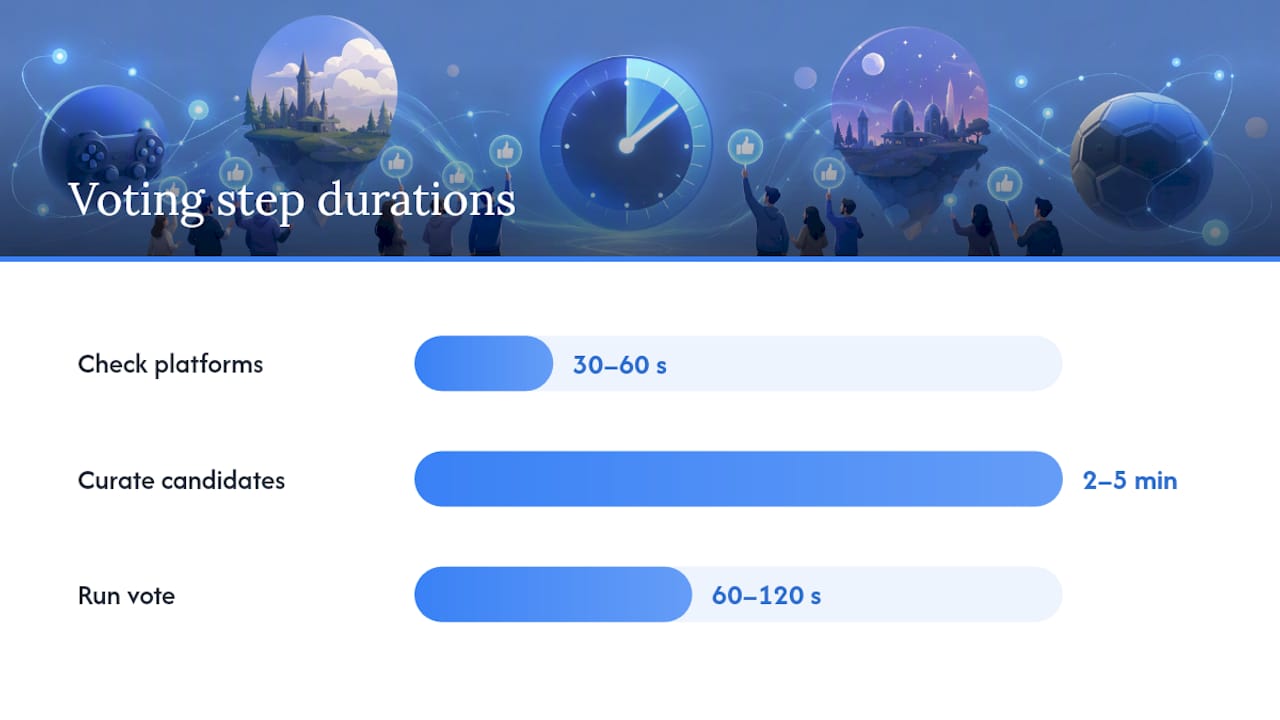 Step 1: Check platforms (30 to 60 seconds)
Post one message asking everyone to react with their platform emoji, or drop a one-line "PC, PS5, Xbox, or Switch tonight?" question. You need this before you suggest a single game, because half the arguments in a typical game night thread come from someone suggesting something a third of the group can't run. Overchoice is the real enemy here: the more games get floated before you know who owns what, the longer the thread drags on.
Step 2: Curate 3 to 8 candidates (2 to 5 minutes)Filter the wish list down to games everyone present can actually launch. This is mechanical work, not a debate. Cutting the list from twenty possibilities to six removes the friction that makes voting slow in the first place.
Step 3: Run the vote (60 to 120 seconds)Use private swipes or an anonymous yes/no per game rather than a public reaction poll. Anonymous or swipe-based voting reduces social signalling, meaning the quiet person in the group doesn't just thumbs-up whatever the loudest voice picked first.
Step 4: Veto, tie-break, announceGive each player one veto, apply a simple tie-break rule if needed, then post the winner along with any setup notes (lobby code, install size, minimum players).
1. Ask platforms: "PC/PS5/Xbox/Switch tonight? React below." (30 to 60 seconds)
2. Curate: shortlist 3 to 8 games that clear the platform filter (2 to 5 minutes)
3. Vote: private swipe or 60 to 120 second anonymous yes/no per title
4. Veto and announce: "One veto each, then we lock it in."
Pro Tip: Post the platform-check message the night before, not five minutes before you plan to play. You'll walk into the session with the filtering already done, and the actual vote takes under two minutes.Which voting method actually works for your group?
Not every method suits every group size, and picking the wrong one is how a "quick vote" turns into a 40-minute negotiation.
- Reactions: fastest option, works for groups under six, but breaks down once you're comparing more than three or four games because everyone reacts to the first popular option rather than genuinely comparing.
- Simple polls: easy to set up in Discord, but a basic poll misses compatibility details entirely. It tells you what won, not whether everyone who voted can actually play it.
- Swipe or private yes/no: the best balance of speed, privacy, and fairness for most groups, since swiping formats reduce public social pressure and surface honest preferences rather than peer-pleasing ones.
- Ranked choice: fairer for larger groups (eight or more) because it captures second and third preferences, but it takes longer to set up and explain, so save it for planned events rather than a spontaneous Tuesday session.
- Veto and tie-break rules: a single veto per player works for casual groups; a double veto (one from each of two "captains") suits competitive squads; for a casual tiebreak, just re-run the top two candidates through a fresh 30-second vote.
Reactions win on raw speed. Swiping wins on fairness without sacrificing much time. Ranked choice only earns its extra minutes when the group is large enough that a simple majority starts to feel arbitrary.
How do you avoid crossplay and ownership headaches?
Most failed votes aren't a voting problem at all. They're an ownership problem that surfaced after everyone already agreed on a game.
Ask the group one direct question before curating your list: "What do you own, and on what platform?" Get this answered in the same message thread as your platform check, and you'll cut a second round of back-and-forth entirely.
- If crossplay status is uncertain for a title, exclude it from the shortlist rather than assuming it works. A crossplay compatibility checker settles this in seconds instead of a guess that derails the lobby fifteen minutes in.
- Share friend codes, required mods, and install sizes before the vote closes, not after someone's already downloading a 40GB patch.
- Match your candidate list to connection quality. A group with patchy home broadband shouldn't be voting on anything with strict ping requirements.
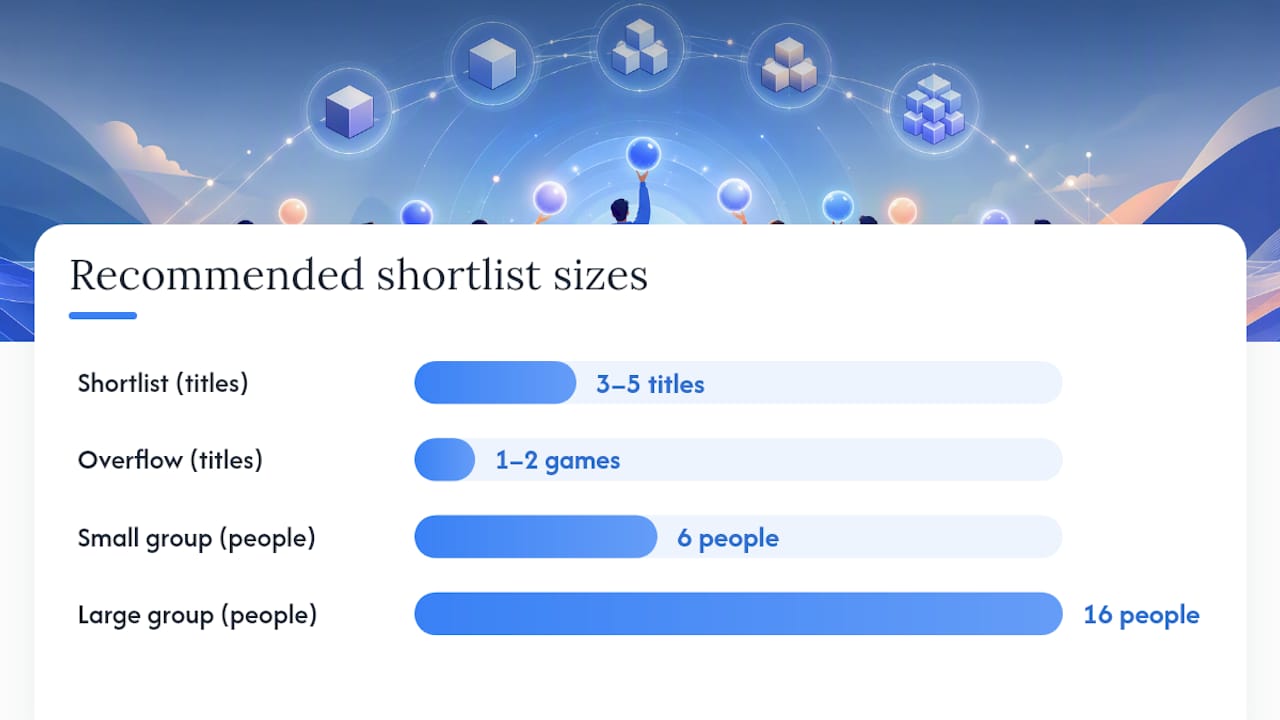
- Size the shortlist to the group. Six people need fewer options than sixteen, and a short queue of three to five titles prevents the scroll fatigue that kills momentum in bigger servers.
- Keep one or two overflow games ready in case your first pick's lobby fills or someone's connection can't handle it.
Curating for ownership and platform before the vote turns a debate into a mechanical filtering step, which is exactly what keeps the whole process under five minutes.
How does PickThe.Games speed up group voting?
PickThe.Games was built around the exact workflow described above: filter first, vote fast, veto if needed. The swiping mechanic gives everyone equal input rather than letting the loudest voice in the channel set the agenda.
Core features that cut setup time:
- Swiping boards where each player rates candidate games privately.
- Crossplay compatibility checks built into every board, so incompatible titles never make the shortlist.
- Real-time voting with results updating as people respond.
- A veto system for the one game nobody wants tonight.
- Discord bot and embedded activity integration, so the whole vote happens inside your existing server.
- Streamer Mode, letting viewers vote via a shareable link with a live OBS leaderboard.
> PickThe.Games maintains a database of over 6,000 games, which matters most for mixed-platform groups where the "everyone owns something different" problem is worst.
The practical flow: create a board, invite players with a link, run a 60-second swipe vote inside Discord, apply the veto, then start the lobby. That last step is where most chat-based polls quietly fail. A dedicated Discord game picker keeps the entire decision inside the server your group already uses, so nobody has to click out to a separate app just to cast a vote.
What actually keeps a game night from stalling?
The organisers who get this right treat the vote as one step in an event, not the whole event. Pick a single simple activity for the warmup, one main game, and a light wind-down option, rather than trying to cover every possible mood in one shortlist.
Use a lightweight RSVP and appoint one coordinator rather than letting the decision drift across five people's DMs. Keeping the tool stack lean matters more than most people expect. Every extra app or link you introduce is another place attendance quietly leaks away.
Match your game choice to actual turnout, not the invite list—using Droid Tycoon community stats can help gauge audience size for better game selection. Four people who showed up beats twelve who said maybe. Have a fallback ready before the main pick, because the moment a lobby fails to fill, momentum drops fast and people start drifting to other tabs.
> — PickThe
Try PickThe.Games before your next scheduled session
If your group has been running votes through scattered reactions or a poll bot that ignores platform mismatches, PickThe.Games gives you the faster route: swipe-based voting, built-in crossplay checks, and a veto system, all inside the Discord integration your server already uses.

Set up a board before your next planned game night and run one 60-second trial vote with whoever's online. Invite the group, let everyone swipe privately, apply the veto, and you'll have a locked-in game before the usual chat thread would've even settled on a shortlist. Browsers not sure where to start can check the Game Night Picker for a ready-made event flow, or browse crossplay-friendly titles directly if platform mismatches have been your group's main sticking point. Streamers running audience-facing sessions can set up Streamer Mode the same way, letting viewers vote through a shareable link while the leaderboard updates live on stream.
Sources
For structuring a longer session, Dinogame GG's browser game-night guide covers queue length and pacing. For running events inside Discord itself, see the Discord events guide for community nights. Weekly scheduling tactics are covered in Supatimer's Discord game night guide.
- Why Choosing a Multiplayer Game Is Harder Than Finding One - TechSlassh
- How to host a browser game night (setup guide) - Dinogame GG
- Discord events guide for tournaments and community nights
FAQ
How long should a group game vote take?
A well-run vote takes two to five minutes total, including the platform check, curation, and the actual swipe or yes/no round. Anything longer usually means the shortlist wasn't filtered before voting started.
Is PickThe.Games free to use?
Yes, core features including swiping boards, crossplay checks, real-time voting, the veto system, and Discord integration are available for free, with no paywalled tiers.
What's the best voting method for a large Discord server?
Ranked choice suits larger groups (eight or more) because it captures second and third preferences, but a swipe-based vote still works well if you curate the shortlist tightly first.
How do I stop the same person always winning the vote?
Use anonymous or private voting rather than public reactions, since visible votes tend to follow whoever suggests a game first rather than genuine preference.
What happens if the vote ties?
Apply a single veto each to narrow the field, then re-run a fresh 30-second vote between the remaining top two options.
Does PickThe.Games work for streamers?
Some platforms offer a Streamer Mode that lets viewers vote through a shareable link with results shown on a live OBS leaderboard, allowing an audience to help choose the game in real time.