Track games friends want to play: fast group voting
Track games friends want to play: fast group voting

The fastest way to track which multiplayer games your friends want to play is PickThe.Games, which combines a 6,000+ multiplayer game database with real-time voting, crossplay filters, and Discord integration. Your group can go from "what should we play?" to a confirmed session in under ten minutes. If your group prefers not to use a third-party tool, two quick alternatives work well:
- Option A: Use PickThe.Games for crossplay-aware voting, a swiping mechanic that gives everyone equal input, and a real-time veto system.
- Option B: A shared Google Sheet with a three-question Discord poll handles most of what a small group needs.
- Option C: Use your platform's built-in wishlist (Steam, PlayStation, Xbox) and run a quick group-chat poll before each session.
Table of Contents
- Why tracking what your friends want to play saves everyone time
- Which approach actually works for your group?
- How to set up PickThe.Games in under 10 minutes
- A DIY system for groups who prefer no third-party tools
- Group rules that stop decision fatigue before it starts
- What to check before you commit to a game
- Quick fixes when the workflow breaks down
- Key takeaways
- The case for keeping it simple
- Pickthe is the faster route to a game your whole group can play
- Useful sources and further reading
Why tracking what your friends want to play saves everyone time
Decision fatigue is the real enemy of a good game night. When six people open a group chat and ask "what are we playing?", the conversation can spiral for 30 minutes before anyone loads a game. Keeping a simple shared record of preferences cuts that dead time significantly and removes the awkward back-and-forth about who owns what.
Categorising games into three buckets, "currently playing," "backlog," and "wishlist," prevents the overwhelm that comes with large libraries. It shortens the candidate list before voting even starts, so your group is choosing between five realistic options rather than scrolling through hundreds. Platforms like GameTrack let users manage backlog, wishlist, and completion status across multiple services while maintaining consistent metadata such as genre and release dates, which is useful for groups who want long-term organisation.
There is also a practical financial benefit. Tracking ownership across the group prevents double-buying the same title or purchasing DLC that only half the group can use.
> Knowing what everyone already owns, and what they actually want to play next, is the single biggest shortcut to a faster, fairer game night.
Pro Tip: Keep the shared list to ten titles maximum at any given time. A shorter list gets faster decisions and higher engagement from every member of the group.Which approach actually works for your group?
Speed, control, and privacy pull in different directions, so the right method depends on your group's size and habits.
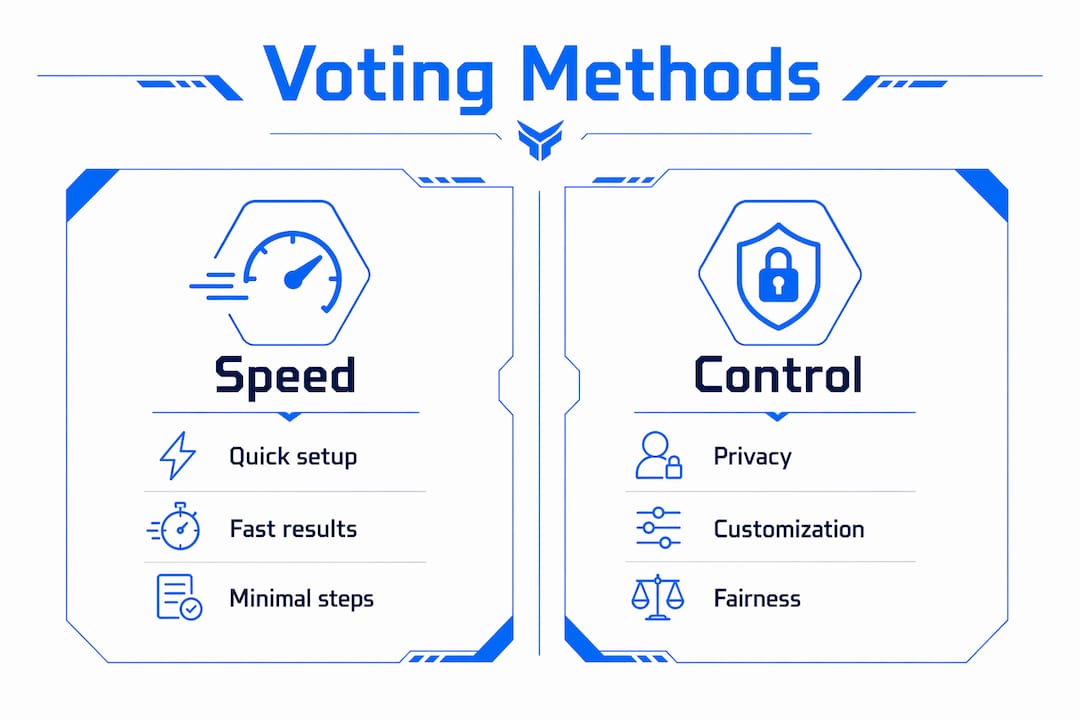
Dedicated voting tools are the fastest and fairest option for cross-platform groups. They handle crossplay checks automatically, give every player equal input, and resolve ties without a separate conversation. Gamerlog takes a social approach, letting users follow friends and share curated lists so groups can discover shared favourites through activity feeds. That works well for discovery, though it does not resolve crossplay conflicts on its own.

DIY spreadsheets combined with a Discord poll give you full control over what data you store and who sees it. This suits privacy-conscious players or groups who simply do not want another app account. The trade-off is manual upkeep.
Platform wishlists (Steam, PlayStation Store, Xbox) require zero setup and are already populated for most players. The limitation is that they are siloed: your Steam wishlist does not talk to your friend's Xbox wishlist, and crossplay compatibility is not surfaced automatically.
- Small casual groups (2–4 players, same platform): Platform wishlists plus a group-chat poll are usually enough.
- Larger or cross-platform groups: A dedicated voting tool with crossplay-aware filters saves the most time.
- Privacy-first players: The DIY spreadsheet route keeps everything within tools your group already controls.
Pickthe's database covers a large number of multiplayer titles with crossplay tags, which means the filtering work is already done before your group starts voting.
How to set up PickThe.Games in under 10 minutes
You can have a working voting session running before your friends have even opened Discord.
1. Create a free account at PickThe.Games.
2. Start a new board and invite your group via a shareable link (no account required for guests).
3. Each player swipes through game suggestions, marking titles as yes, maybe, or no.
4. The real-time voting dashboard surfaces the games with the most mutual interest.
5. Use the veto feature to remove any title that one player genuinely cannot run or does not own.
6. Apply the crossplay filter to confirm every shortlisted game works across your group's platforms.
7. Connect the Discord bot so the whole session runs inside your existing server.
> The swiping mechanic means no single player dominates the list. Everyone's preferences carry equal weight, which removes the usual "loudest voice wins" problem.
The crossplay checker at PickThe.Games lets you verify platform compatibility before committing to a vote. For groups split across PC, PS5, and Xbox, that single check prevents the most common session-killing surprise. Optional settings include private group links, link expiry, and reminder pings for members who have not yet swiped.
Pro Tip: Run the crossplay filter before you open voting, not after. It removes ineligible titles upfront and keeps the candidate list clean.A DIY system for groups who prefer no third-party tools
A two-sheet Google Sheet and a three-question Discord poll cover the core needs for most groups.
Spreadsheet columns (Sheet 1: Game Library)1. Game title
2. Platform(s) owned (list each player's platform)
3. Crossplay supported? (Yes / No / Partial)
4. Play status (Currently playing / Backlog / Wishlist)
5. Votes (tally from the Discord poll)
6. Notes (DLC required, subscription needed, region lock)
Sheet 2 is a simple ownership matrix: player names across the top, game titles down the side, with a tick where each player owns the title. This makes shared ownership visible at a glance and prevents double-buying. Tools like Keep Track of My Games support cross-service syncing from Steam, Xbox Live, PSN, and GOG with CSV export, which you can paste directly into your sheet. Discord poll recipe (run before each session)- Question 1: "Which genre tonight?" (Action / Co-op / Strategy / Anything)
- Question 2: "How long do we have?" (1 hour / 2 hours / 3+ hours)
- Question 3: "Vote for your top pick from this shortlist:" (paste 5 titles from the sheet)
- Nominate one person to update ownership after new purchases.
- Sync the sheet once a fortnight, or whenever someone buys a new game.
- Archive completed games to a separate tab so the active list stays short.
PlayTrak offers backlog tracking with platform filters and IGDB metadata integration, which can supplement your sheet for quick game lookups without manual data entry.
Group rules that stop decision fatigue before it starts
Simple rules scale better than complex systems. A group that agrees on three or four ground rules before the first session runs every future session faster.
- Limit the candidate list to ten titles per vote.
- Set a five-minute time limit on polls; if no winner emerges, the host picks from the top two.
- Allow one veto per person per session, no explanation required.
- Rotate the host role each week so one person is not always doing the admin.
Prioritisation categories do the heavy lifting here. If your group agrees that "currently playing" titles always appear on the shortlist first, you eliminate the debate about whether to start something new. Backlog titles enter the rotation only when the active list drops below three options. Wishlist items are for planning future sessions, not the current one.
Pro Tip: Gamify the list. Award a point to whoever suggests a game the group ends up loving, inspired by popular viral quiz games online that boost engagement and fun. A simple leaderboard in the sheet keeps everyone motivated to keep their entries current.For groups with mixed platforms, finding games everyone can play across different consoles is worth reading before you finalise your shortlist.
What to check before you commit to a game
Verify crossplay, platform ownership, and subscription requirements before the vote, not during it. A game that looks perfect on paper can fall apart if one player is on a platform the title does not support, or if crossplay requires a specific edition.
- Crossplay support: Check the store page directly. The Steam page for LEGO® Party! explicitly lists cross-platform online play for multiple players, which is the level of clarity you want before committing.
- Subscription requirements: Some titles require Xbox Game Pass, PlayStation Plus, or Nintendo Switch Online for online play. Confirm every player has the right tier. The Game Pass crossplay guide covers common subscription-related crossplay constraints.
- DLC and season pass ownership: Certain modes or maps are locked behind paid expansions. Check that the whole group owns the same content.
- Region locks: UK players on the PlayStation Store occasionally encounter region-restricted titles or pricing differences. Verify the title is available in the UK storefront before adding it to the vote.
- Time-zone and session length: For groups with members outside the UK, agree on a session window in advance. A 9 PM GMT start works for most of Western Europe but may not suit players further afield.
Quick fixes when the workflow breaks down
Check ownership and crossplay tags first. Most session failures trace back to one of those two things.
- Tie in the vote: Use the host's pick as the tiebreaker, or run a sudden-death re-vote between the top two titles only.
- Friend not appearing in the group: Resend the invite link; PickThe.Games guest access does not require an account, so a fresh link usually resolves it.
- Crossplay not working in-game: Confirm both players have crossplay enabled in the game's settings, not just at the platform level. Some titles default to platform-only matchmaking.
- Stale list: If nobody has updated the sheet in a month, run a quick five-minute audit at the start of the session. Remove anything completed and add recent purchases.
- Nobody online at the same time: Fall back to an asynchronous vote. Post the shortlist in Discord, give members 24 hours to react with an emoji, and the most-reacted title wins.
> When the system feels like too much work, simplify it. A three-title shortlist and a 60-second Discord poll is always better than no plan at all.
Pro Tip: If your group keeps hitting ties, reduce the candidate list to three titles before voting. Fewer options produce faster, cleaner decisions.Key takeaways
Tracking which games your friends want to play works best when you combine a crossplay-aware tool with a short, agreed candidate list and a time-limited vote.
| Point | Details |
| --- | --- |
| Start with PickThe.Games | Its 6,000+ multiplayer database with crossplay tags gets your group to a decision in under 10 minutes. |
| Use three priority buckets | Sorting games into "currently playing," "backlog," and "wishlist" shortens every candidate list before voting starts. |
| Verify crossplay before voting | Check store pages and subscription requirements upfront to avoid session-killing surprises. |
| DIY fallback works | A two-sheet Google Sheet plus a three-question Discord poll covers most small groups without any new software. |
| Pickthe as the ready-made route | Pickthe's real-time voting, swiping mechanic, and Discord integration replace the entire DIY workflow in one tool. |
The case for keeping it simple
Most groups overthink this. The real barrier to a good game night is not finding the right game; it is the ten-minute argument that happens before anyone agrees on one. A voting system with crossplay filters does not just save time. It removes the social friction that makes some players quietly disengage from group sessions altogether.
The swiping mechanic in Pickthe is worth highlighting specifically because it solves a problem that polls and spreadsheets cannot: equal input. In a standard group chat poll, the first person to suggest a title anchors the whole conversation. Swiping breaks that anchoring effect because every player rates every option independently before results are revealed. That is a genuinely fairer process, and groups tend to feel better about the outcome even when their first choice does not win.
Keep the system light. A ten-title shortlist, a five-minute vote, and one veto per person is all most groups need.
Pickthe is the faster route to a game your whole group can play
Spending 20 minutes debating what to play is time you could spend actually playing. Pickthe brings together a database of 6,000+ multiplayer games with real-time voting, a swiping mechanic for equal input, a veto system, and full Discord integration so your group never has to leave the chat to make a decision.

Key features your group gets from day one:
- Crossplay tags on every title so you know instantly what works across PC, PS5, Xbox, and Switch.
- A swiping mechanic that gives every player equal say, regardless of who is loudest in the chat.
- Real-time voting and veto so the group reaches a decision together, live.
- Discord bot integration for in-chat sessions without switching apps.
- Platform-specific filters to browse multiplayer games by platform and narrow by genre.
Getting started takes about two minutes: create a free account, set up a board, share the link with your group, and run your first vote. Head to PickThe.Games to find multiplayer games that work for your whole group right now.
Useful sources and further reading
Crossplay-aware resources give your group the most accurate picture before committing to a vote.
- PickThe.Games — group voting, crossplay filters, and a 6,000+ multiplayer database.
- PickThe.Games crossplay checker — verify what your mixed-platform group can actually play together.
- GameTrack — backlog, wishlist, and completion tracking with multi-service metadata.
- Keep Track of My Games — cross-service syncing from Steam, Xbox Live, PSN, and GOG with CSV export.
- Gamerlog — social tracker with activity feeds and shared curated lists for group discovery.
- PlayTrak — backlog tracking with platform filters and IGDB metadata.
- LEGO® Party! on Steam — a live example of how crossplay support is documented on a store page.
> When planning group sessions, always prefer sources that surface crossplay status directly rather than relying on community forums, where information goes out of date quickly.