The best Switch crossplay games for mixed-platform groups
The best Switch crossplay games for mixed-platform groups

The quickest way to get your whole group playing together on Nintendo Switch is to pick from this shortlist of verified cross-platform titles. These are the most-played, most reliable options right now:
- Minecraft (Bedrock Edition) — Switch, PC, PS4/PS5, Xbox, mobile. Requires a Microsoft/Mojang account. Nintendo Switch Online needed.
- Fortnite — Switch, PC, PS4/PS5, Xbox, mobile. Requires an Epic Games account. Free-to-play, so no Switch Online subscription required.
- Rocket League — Switch, PC, PS4/PS5, Xbox. Requires an Epic Games account. Free-to-play exemption applies.
- Warframe — Switch, PC, PS4/PS5, Xbox. Requires a Warframe/Digital Extremes account. Free-to-play.
- Brawlhalla — Switch, PC, PS4/PS5, Xbox, mobile. Requires a Ubisoft account. Free-to-play.
- Paladins — Switch, PC, PS4/PS5, Xbox. Requires a Hi-Rez account. Free-to-play.
- Split Fiction — Switch 2, PC, PS5, Xbox Series X|S. Requires an EA account for crossplay invites. Friend's Pass included.
Key takeaways
The most reliable Switch crossplay games are free-to-play titles like Fortnite, Rocket League, Warframe, Brawlhalla, and Paladins, which require no Nintendo Switch Online subscription and support the widest platform combinations.
| Point | Details |
|---|---|
| Account linking is step one | Link your Epic, Microsoft, EA, or publisher account before crossplay will activate in most titles. |
| Free-to-play titles skip Switch Online | Fortnite, Rocket League, Warframe, Brawlhalla, and Paladins are all exempt from the subscription requirement. |
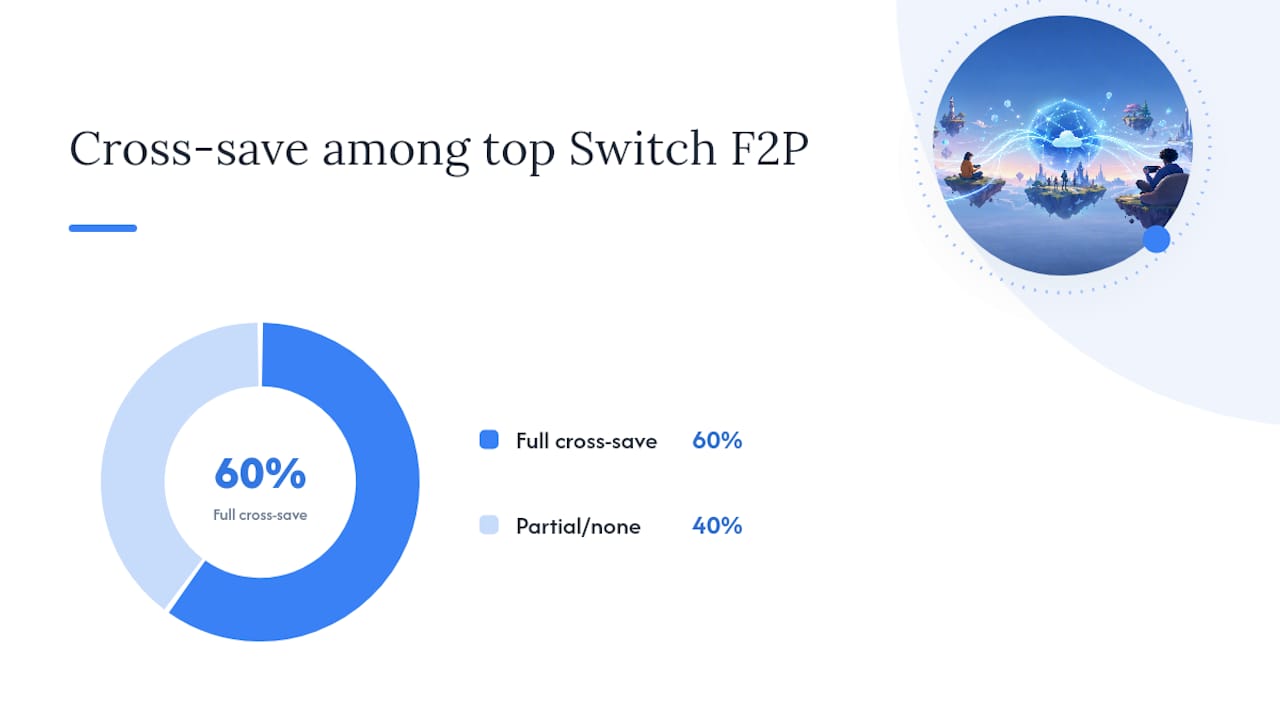
| Cross-progression is game-dependent | Only Fortnite, Rocket League, and Warframe offer full cross-save on Switch; others are partial or unsupported. |
| Ranked modes may split by input | Controller players on Switch often match separately from PC mouse-and-keyboard users in competitive modes. |
| Pickthe speeds group decisions | The crossplay checker filters 6,000+ games to only what your mixed-platform group can play together. |
Table of Contents
- Which Switch games support crossplay, and with which platforms?
- How Switch crossplay actually works: accounts, toggles, and platform icons
- Cross-progression: which Switch crossplay games also share your saves?
- Common reasons crossplay fails on Switch and quick fixes
- Picking a crossplay game for your mixed-platform group, faster
- Why crossplay matters more than most Switch players realise
- The fastest way to find a crossplay game your whole group agrees on
- Sources
Which Switch games support crossplay, and with which platforms?
The table below covers the key details for each title. For the most current status, Nintendo's crossplay tag page is the recommended first checkpoint.
A few things worth knowing per game:
- Minecraft (Bedrock) only supports crossplay on the Bedrock Edition. Java Edition players on PC cannot join Switch sessions. Your Marketplace purchases carry across platforms, but world saves stay local unless you use Realms.
- Rocket League uses input-based matchmaking in ranked play, so Switch controller players typically match with other console players rather than PC mouse-and-keyboard users.
- Warframe offers one of the most complete cross-platform save systems available on Switch, letting you carry your full progression across PC, PlayStation, Xbox, and mobile.
- Split Fiction uses EA's Friend's Pass, meaning one player who owns the game can invite a friend who doesn't. Both players need an EA account to send and accept cross-platform invites.
- NBA 2K26 is a partial case: PlayStation and Xbox players can crossplay with each other, but Switch 2 players appear on leaderboards yet cannot join PS5 or Xbox Series crossplay sessions. Cross-progression between Switch and PC is not supported.
For a broader discovery list, Gg is a useful filter tool, though you should always verify current status on the developer's own support page before committing to a purchase.
How Switch crossplay actually works: accounts, toggles, and platform icons
Crossplay on Nintendo Switch is not a system-level feature that Nintendo switches on. Each developer implements it independently, which means the setup steps, account requirements, and supported modes vary from game to game.
Here is the typical flow:
- Link a third-party account. Most crossplay titles require you to connect a publisher account (Epic Games ID, Microsoft/Mojang, EA account, Hi-Rez, Digital Extremes) before cross-platform matchmaking activates. This is the single most common reason crossplay fails on a first attempt. Blizzard's rollout of Overwatch cross-play is a clear model: console players had to create or link a Battle.net account before they could match with PC players.
- Check the in-game crossplay toggle. Many titles include a crossplay on/off switch buried in the settings or privacy menu. If your group cannot find each other, confirm this is set to "on" for every player across every platform.
- Understand Nintendo Switch Online requirements. Free-to-play titles are exempt from the Nintendo Switch Online subscription for online play. Paid games like Minecraft (Bedrock) and Split Fiction do require an active subscription on Switch.
- Watch for platform icons. In lobbies and friend lists, most crossplay games display a small platform icon next to each player's name. This tells you which device they are on and helps confirm the crossplay connection is working.
Input-based matchmaking is worth understanding before your group queues for ranked modes. Following Blizzard's approach with Overwatch, many competitive games separate console controller players from PC mouse-and-keyboard players to keep matches fair. Your Switch player may end up in a different ranked pool from a PC friend even when crossplay is technically enabled. Casual and co-op modes usually skip this restriction entirely.
Pro Tip: Before your session, check the game's official support or FAQ page for the exact account-linking steps. Searching "[game name] crossplay setup" on the developer's support site is faster than hunting through in-game menus.Cross-progression: which Switch crossplay games also share your saves?
Crossplay and cross-progression are two separate features, and many games support one without the other. Crossplay means you can play with people on other platforms. Cross-progression means your unlocks, currency, and progress follow you when you switch devices.
Cross-progression is game-dependent, and partial support is more common than full support. "Partial" typically means your cosmetic inventory carries over but your ranked standing or currency does not.
Here is how the main titles break down:
- Full cross-progression: Fortnite, Rocket League, Warframe
- Partial cross-progression: Minecraft Bedrock (Marketplace purchases shared, world saves local), Brawlhalla (cosmetics), Paladins (cosmetics)
- No cross-progression: Split Fiction, NBA 2K26
Warframe is the standout example of full cross-progression done well. Its Cross Platform Save system consolidates your account across PC, PlayStation, Xbox, Nintendo Switch, and mobile under a single Cross Platform Save account. You do need to consciously link each platform, but once linked, your entire inventory and progression travels with you.
> The NBA 2K26 situation is a useful reality check for the whole category. Switch 2 players appear on shared leaderboards, which looks like integration, but they cannot actually join crossplay sessions with PS5 or Xbox Series players. Cross-progression between Switch and PC is not supported at all. A game can look crossplay-friendly on the surface while quietly excluding Switch players from the most meaningful modes.
Developers increasingly plan unified player bases to sustain multiplayer titles, but Switch players should verify the specific scope of crossplay and cross-progression support before assuming parity with other platforms.
Common reasons crossplay fails on Switch and quick fixes
If your group cannot connect across platforms, work through these steps in order:
1. Verify your third-party account is linked. Go to the game's account settings or the publisher's website and confirm the link between your Switch profile and your Epic, Microsoft, EA, or other publisher account. An unlinked account is the most frequent cause of crossplay failures.
2. Confirm everyone is on the same game version. A Switch player on an older patch cannot join a lobby with PC or console players on a newer one. Check the game's update status on each platform and update before trying again.
3. Toggle crossplay on in the game's settings. Search the privacy or online settings menu for a crossplay toggle. Some games default this to off, particularly after a fresh install.
4. Check your Nintendo Switch Online subscription status. For paid games, an expired or inactive subscription blocks online play entirely. Free-to-play titles are exempt, but confirm which category your game falls into.
5. Review your Nintendo account privacy settings. Nintendo's parental controls and friend-visibility settings can prevent cross-platform friend requests from appearing. Go to your Nintendo Account online and check the friend and online play permissions.
6. Test your NAT type. A strict NAT type (Type D on Switch) can block peer-to-peer connections with players on other platforms. Restarting your router or enabling UPnP in your router settings often resolves this.
7. Check for platform-specific bans. If a player has been banned on one platform, that ban may carry across to their linked publisher account, blocking crossplay on Switch as well.
If none of these steps resolve the issue, visit the developer's official support page and submit a ticket with your platform, account details, and a description of the error message.
Picking a crossplay game for your mixed-platform group, faster
Finding a game everyone can play together is straightforward when your group is all on the same platform. When you have a Switch player, a PC player, and someone on PlayStation, it gets complicated quickly.
Pickthe's crossplay compatibility checker is built for exactly this situation. Here is how to use it with your group:1. Add your group members and their platforms. Enter each person's platform (Switch, PC, PS5, Xbox) into the checker.
2. Run the crossplay filter. The tool cross-references its database of over 6,000 games and returns only the titles your specific combination of platforms can play together.
3. Swipe through compatible games. Each group member swipes yes or no on the filtered results in real time, so everyone gets equal input.
4. Use the veto system to narrow it down. If someone strongly objects to a title, the veto removes it from contention. No long group chat debates needed.
5. Start playing. The group's top pick is surfaced automatically, and you can jump straight to setup.
Pickthe also integrates directly with Discord, so you can run the whole voting session inside your server without switching apps. If you stream, Streamer Mode lets your viewers vote on what the group plays next via a shareable link, with live results shown in OBS.
Pro Tip: Use Pickthe's PC and Switch crossplay page as a pre-filtered starting point if your group is specifically Switch and PC players — it cuts the list down before you even open the checker.Why crossplay matters more than most Switch players realise
Crossplay does not just add convenience. It keeps multiplayer games alive. A title with a small Switch-only player base can struggle to fill lobbies at off-peak hours, leading to longer queue times and, eventually, a shrinking community. When that same game opens its matchmaking to PC, PlayStation, and Xbox players, the pool grows dramatically, queues shorten, and the game stays healthy for longer.
Developers now plan crossplay from the start rather than treating it as a post-launch addition, because unified player bases are what sustain competitive and co-op titles over years rather than months. GamesRadar's reporting on Modern Warfare 4's Switch 2 crossplay support is a signal of where the industry is heading: high-profile franchises are returning to Nintendo hardware with crossplay built in, not bolted on.For Switch players specifically, this trend matters because it closes the gap between Nintendo's ecosystem and the broader gaming world. Your friends on PC or PlayStation no longer have to own a Switch to play with you.
The fastest way to find a crossplay game your whole group agrees on
Mixed-platform groups spend more time arguing about what to play than actually playing. Pickthe solves that directly. Rather than manually checking platform matrices and compatibility lists, your group uses the crossplay compatibility checker to filter 6,000+ games down to only the titles everyone can access, then votes in real time using the swiping mechanic.

Every player gets equal input. The veto system handles the titles someone cannot stand. Discord integration means the whole process happens inside your existing server. And if you want a curated shortlist rather than a blank search, the best crossplay games category and the party multiplayer games page give you pre-filtered starting points.
Head to Pickthe and run your first group check now. It takes about two minutes.
Sources
Always verify crossplay status on official pages before purchasing, as support can change with updates or platform agreements.
- Crossplay games - Nintendo Store
- Cross-Play is Now Live! — Overwatch 2 — Blizzard News
- Split Fiction Friend's Pass - Nintendo Switch™ 2
- Cross Platform Save / Cross Platform Play — Warframe
- Does the Switch 2 support cross-play? A guide to multiplayer across devices
- NBA 2K26: Crossplay and Cross Gen FAQ – NBA 2K Support