Best Steam crossplay games for mixed-platform groups
Best Steam crossplay games for mixed-platform groups

If your group is split across PC, PlayStation, Xbox, and mobile, the fastest way to find a game you can all play is to run your platforms through the Pickthe crossplay checker and let it filter your options in seconds. For those who want a shortlist right now, these are the titles that consistently work across the widest range of platforms:
- Fortnite — free-to-play, full cross-play and cross-progression when your Epic account is linked; works across PC, PlayStation, Xbox, Switch, and mobile.
- Minecraft (Bedrock Edition) — buy once, play with almost anyone; covers PC, console, and mobile with near-universal reach.
- Rocket League — free-to-play, quick to set up, strong cross-platform support across PC, PlayStation, Xbox, and Switch.
- Among Us — free-to-play on mobile, paid on PC; supports 4–15 players across PC, consoles, and mobile with minimal setup friction.
- Apex Legends — free-to-play battle royale with full cross-play for squads across PC, PlayStation, and Xbox; requires an EA account.
- Helldivers 2 — paid co-op shooter with cross-play between PC (Steam) and PlayStation 5; no Switch or Xbox support currently.
- Destiny 2 — free base game with strong cross-play across PC, PlayStation, and Xbox, but note that some DLC and storefront-specific progression caveats apply.
Key takeaways
The most reliable Steam crossplay games for mixed-platform groups are Fortnite, Minecraft Bedrock, Rocket League, Among Us, and Apex Legends, all of which support broad platform reach with manageable setup steps.
| Point | Details |
|---|---|
| Top picks for broad reach | Fortnite, Minecraft Bedrock, Rocket League, and Among Us cover the widest platform combinations including Switch and mobile. |
| Account linking is usually required | Epic, EA, Activision, and Battle.net accounts gate cross-progression on most major titles; set these up before game night. |
| Cross-progression varies widely | Some games offer full cross-progression; others lock cosmetics or progress to the original platform unless accounts are linked first. |
| Anti-cheat and edition mismatches cause most failures | Mismatched game versions, storefront-specific DLC, and anti-cheat conflicts are the most common reasons crossplay sessions fail. |
| Pickthe speeds up compatibility checks | The Pickthe crossplay checker filters compatible games by your group's exact platform mix in seconds. |
Table of Contents
- What are the best Steam crossplay games at a glance?
- Full crossplay game list grouped by genre
- How does crossplay actually work on Steam?
- How to enable crossplay on Steam and invite friends
- How we checked crossplay and cross-progression
- How to use Pickthe to find what your group can actually play
- The crossplay trade-offs most guides skip over
- Pickthe makes finding your next group game faster
- Sources
What are the best Steam crossplay games at a glance?
The table below covers the top picks with the facts your group needs: which platforms can join a Steam session, whether progress carries across, and what the game costs.
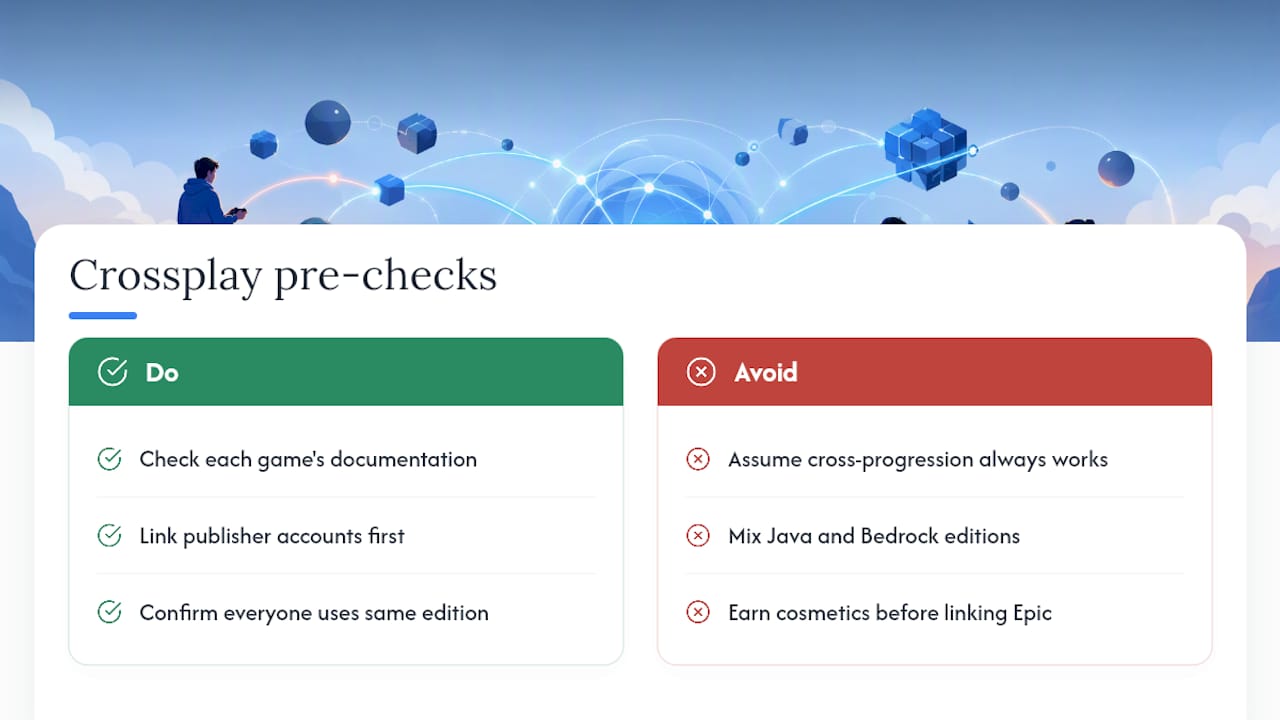
A few quick notes on common friction points. Digital Trends recommends checking each game's documentation for exact cross-progression support, because publisher account systems (Epic, EA, Activision, Battle.net) are often the gating factor rather than the game itself. Rocket League, for instance, shows cross-play across four platforms but only carries cosmetics across if your Epic account is linked before you start earning them.
Pro Tip: Before your group commits to a game, check whether everyone is on the same edition. Minecraft's Java Edition does not cross-play with Bedrock Edition, and that single distinction catches a lot of groups off guard.Full crossplay game list grouped by genre
Eneba's curated list of cross-platform games highlights many of the same titles that appear consistently across recommendation sources: Minecraft, Fortnite, Rocket League, Destiny 2, Apex Legends, Helldivers 2, Dead by Daylight, and Diablo IV. The genre grouping below adds the practical compatibility detail those lists often skip.Team shooters and battle royale
Apex Legends is free-to-play and supports full cross-play between PC, PlayStation 4/5, and Xbox One/Series X|S. Your squad of three can span all three platforms without issue, though you will need an EA account linked to enable cross-play and cross-progression. The Apex Legends page on Pickthe has a quick platform breakdown if you want to confirm before downloading. Fortnite goes further on platform reach, covering PC, PlayStation, Xbox, Nintendo Switch, and mobile. Cross-progression is full when your Epic account is linked, meaning your cosmetics follow you everywhere. It is one of the few titles where a Switch player and a PS5 player can genuinely share a lobby with a Steam user without any extra steps beyond account linking. Call of Duty: Black Ops 7 supports cross-play across PC, PlayStation, and Xbox, with cross-progression tied to an Activision ID. The Activision ID requirement is a one-time setup, but it is worth doing before game night rather than during it.
THE FINALS is free-to-play and supports cross-play between PC, PS5, and Xbox Series X/S, with full cross-progression. It is a newer title, so check the publisher's support page for any recent changes to matchmaking pools.
Overwatch 2 covers PC, PlayStation, Xbox, and Switch with full cross-play and cross-progression via a Battle.net account. The Battle.net link is mandatory; without it, your progress stays platform-locked.
FragPunk supports cross-play between PC, PS5, and Xbox Series X/S with cross-progression included. As a relatively recent release, it is worth verifying current status on the Steam store page before your session.
Call of Duty: Black Ops 7 supports cross-play across PC, PlayStation, and Xbox, with cross-progression tied to an Activision ID. The Activision ID requirement is a one-time setup, but it is worth doing before game night rather than during it.
THE FINALS is free-to-play and supports cross-play between PC, PS5, and Xbox Series X/S, with full cross-progression. It is a newer title, so check the publisher's support page for any recent changes to matchmaking pools.
Overwatch 2 covers PC, PlayStation, Xbox, and Switch with full cross-play and cross-progression via a Battle.net account. The Battle.net link is mandatory; without it, your progress stays platform-locked.
FragPunk supports cross-play between PC, PS5, and Xbox Series X/S with cross-progression included. As a relatively recent release, it is worth verifying current status on the Steam store page before your session.
Co-op and looter games
Helldivers 2 is the standout co-op pick for PC and PS5 groups. Four players can squad up across Steam and PlayStation 5, and the game's design is built around cooperative play. There is no Xbox or Switch support, so your group needs to be on PC or PS5 exclusively. Destiny 2 supports cross-play across PC, PlayStation, and Xbox with up to six players in raids. The base game is free, but DLC ownership is storefront-specific, which means a player who bought an expansion on PlayStation may not be able to access that content in a cross-platform session with a Steam player who does not own it. The Destiny 2 page on Pickthe notes these caveats clearly. Warframe is free-to-play and supports cross-play across PC, PlayStation, Xbox, and Switch, with up to four players in co-op missions. Cross-progression is available on most platforms but has historically had caveats on Switch; check the official Warframe support page for the current status before linking accounts. Diablo IV supports four-player co-op with cross-play across PC, PlayStation, and Xbox. Progress carries via a Battle.net account. It is a paid title, so everyone in your group needs a copy. Borderlands 4 supports four-player co-op with cross-play across PC, PlayStation, and Xbox, with cross-progression included. A solid pick for groups who enjoy loot-driven co-op campaigns. No Man's Sky supports up to eight players in cooperative exploration across PC, PlayStation, Xbox, and Switch, with full cross-progression. It is one of the better options for groups who want a long, shared session rather than a quick competitive match. The No Man's Sky page on Pickthe covers the platform pairing details. Split Fiction is a two-player co-op title with cross-play across PC, PlayStation, and Xbox. It includes a Friend Pass, so only one player needs to own the game. The two-player limit makes it a focused pick rather than a group option.Party and social games
Among Us supports 4–15 players across PC, consoles, and mobile, as confirmed on its Steam store page. There is no persistent progression to worry about; every session is self-contained, which makes it one of the lowest-friction crossplay options for large mixed-device groups. The Among Us page on Pickthe lists the full platform breakdown. Fall Guys: Ultimate Knockout is free-to-play and supports up to 60 players across PC, PlayStation, Xbox, and Switch, with cross-progression tied to an Epic account. It is a strong pick for large casual groups where platform mix is unpredictable. Sea of Thieves supports cross-play between PC and Xbox only, with up to four players per crew. If your group is entirely on PC and Xbox, it is a great shared-world option; if anyone is on PlayStation or Switch, they cannot join.Fighters and platformers
MultiVersus is free-to-play and supports full cross-play and full cross-progression across platforms according to its Steam store entry. Up to four players can compete across PC, PlayStation, and Xbox. It is one of the cleaner examples of a title where both cross-play and cross-progression work without additional account linking steps. Chivalry 2 supports large-scale battles of up to 64 players across PC, PlayStation, and Xbox, with cross-progression included. The scale makes it unusual among crossplay titles; most cap out well below 64.Sports and racing
Rocket League is free-to-play and supports cross-play across PC, PlayStation, Xbox, and Switch in 3v3 matches. An Epic account link is required for cross-progression. The Rocket League page on Pickthe has the platform pairing details. It is one of the most polished crossplay experiences available on Steam, with matchmaking that generally keeps wait times short regardless of platform mix.
Sandbox and survival
Minecraft (Bedrock Edition) supports cross-play across PC, PlayStation, Xbox, Switch, and mobile, with up to eight players on Realms. Cross-progression is included. The critical caveat: Java Edition does not cross-play with Bedrock. If your group is on mixed editions, someone will need to switch. The Minecraft page on Pickthe clarifies which edition supports which platforms. Dead by Daylight supports five-player sessions (one killer, four survivors) across PC, PlayStation, Xbox, and Switch, with full cross-play and cross-progression. It is a reliable pick for asymmetric horror fans with a mixed-platform group.A practical note from GameSpot: some titles have storefront-specific cross-play restrictions, meaning the Steam copy may not cross-play with all console versions. Deep Rock Galactic is the frequently cited example, where Steam players are often limited to other Steam players. Always verify the specific storefront version before assuming full reach.
How does crossplay actually work on Steam?
Cross-play on Steam works through shared game servers, developer-managed account systems, and matchmaking proxies rather than any single platform's native network. The short version: the developer builds the crossplay layer, not Steam or Sony or Microsoft.
Developer account systems
Most modern crossplay titles require you to link a publisher or developer account to enable cross-play or carry progression across platforms. Common ones you will encounter:
- Epic account — required for Fortnite, Rocket League, and Fall Guys cross-progression.
- EA account — required for Apex Legends cross-play and cross-progression.
- Activision ID — required for Call of Duty: Black Ops 7 cross-play.
- Battle.net account — required for Diablo IV and Overwatch 2.
Platform limitations to expect
Not every Steam title crosses with every platform. The most common pairings are PC with PlayStation and PC with Xbox; Switch and mobile support is less consistent. Steam curators maintain lists that categorise games by cross-platform play type, including subgroups for PlayStation-only, Xbox-only, Switch, and mobile pairings, which makes them a useful quick-check before you buy.
Steam Deck compatibility is a separate question from cross-play. A game being Deck Verified means it runs well on the hardware; it does not guarantee cross-network play, because anti-cheat software and runtime differences can still block cross-play sessions even on a Deck.
Anti-cheat and control parity
PC anti-cheat software (Easy Anti-Cheat, BattlEye) can occasionally create friction in cross-platform sessions, particularly if a console player is matched against PC players in a competitive title. Some games address this by separating PC and console matchmaking pools by default, with an option to opt in to cross-platform matching. Check the in-game settings before your first session.
Control parity is a related concern in competitive titles. A PC player using a mouse and keyboard has a different input profile to a console player on a controller. Many games apply aim assist to controller users in cross-platform lobbies, but the balance varies by title.
Pro Tip: Check the Steam store page's "System Requirements" and "Features" section for the crossplay tag before buying. Then cross-reference with the publisher's official support page to confirm whether cross-progression is included or requires account linking. The Pickthe crossplay checker can do this for your whole group's platform mix in one step.How to enable crossplay on Steam and invite friends
The typical flow is: link your developer account, toggle cross-play on in the game's settings, add your friend via their in-game or platform ID, then send an invite. Here is how that plays out in practice.
1. Create or link the required developer account. Before launching the game, go to the publisher's website (Epic, EA, Activision, Battle.net) and create a free account if you do not already have one. Link it to your Steam account through the game's first-launch prompt or the publisher's account settings page.
2. Launch the game and open settings. Navigate to the social, privacy, or account settings menu. Look for a "Cross-Play" or "Cross-Network Play" toggle. Some titles have this enabled by default; others require you to switch it on manually. If you cannot find it, search the publisher's support page for "[game name] enable cross-play".
3. Find your cross-play ID. Most titles assign you a cross-play username or display name tied to your developer account. Share this with your friends on other platforms; they will use it to search for and add you.
4. Add your friend. In the game's friends or social menu, use the "Add Friend" or "Find Player" option and enter your friend's cross-play ID or platform username. On some titles (Fortnite, Rocket League), this is done through the Epic friends list rather than the in-game menu.
5. Create a party and invite. Once your friend appears in your friends list, invite them to your party. On most titles, the party leader sends the invite and the others accept. Check that your party privacy is set to "Friends" or "Invite Only" if you want a private session.
6. Start the session. For private matches, look for a "Custom Match" or "Private Lobby" option. For matchmade sessions, queue together from the party screen.
Troubleshooting common crossplay failures
- Mismatched game versions: All players must be on the same version. Console updates sometimes lag behind PC patches by a day or two. Check the game's news feed or patch notes.
- DLC or region locks: Some DLC is storefront-specific and can prevent cross-platform party formation if not everyone owns the same content. Verify DLC ownership before the session.
- Anti-cheat conflicts: If a session fails to connect, check whether the game's anti-cheat software requires a specific runtime. Easy Anti-Cheat and BattlEye both have known edge cases on Steam Deck and certain Linux configurations.
- Party privacy settings: If friends cannot join, check that your party is not set to "Closed" or "Solo". Open the social menu and set visibility to "Friends" or "Open".
- Account not linked: If cross-progression is not working, the most common cause is that the developer account was linked after progress was already earned on one platform. Some publishers can merge accounts; check their support page.
How we checked crossplay and cross-progression
Every game in this article was verified against three sources: the Steam store page platform tags, the publisher's official support documentation, and the Pickthe crossplay database. Checks were performed in 2026.
The verification process for each title:
- Steam store page: Checked the "Features" section for the cross-platform play tag and noted which platforms were listed.
- Publisher support pages: Confirmed whether cross-progression requires account linking, whether it is full or partial, and whether any storefront-specific restrictions apply.
- Steam curator: Cross-Platform Play: Used to identify subgroup tags (PlayStation+PC, Xbox+PC, Switch+PC, mobile+PC) for titles where the store page was ambiguous.
Platform status can change. Publishers update cross-play support with patches, and platform agreements between Sony, Microsoft, and Nintendo can shift. If you are reading this after a major game update, check the publisher's support page directly before assuming the status listed here is current.
> "Cross-progression and cross-play are not universally identical across titles. Always check each game's documentation for exact support, and note that publisher account systems are often required." — Digital Trends
Primary sources used for verification:
- Steam store pages for each title (platform tags and feature listings)
- Publisher support pages (Epic, EA, Activision, Bungie, Hello Games, Digital Extremes)
- Steam curator: Cross-Platform Play
- Digital Trends cross-platform games list
- Eneba's 2026 cross-platform games list
- GameSpot's best cross-platform games
How to use Pickthe to find what your group can actually play
Pickthe can filter its database of over 6,000 games by the exact platform mix your group is on, returning only the titles where everyone can join the same session.
Here is how to use it:
- Go to the crossplay checker. Select each platform your group is using: PC (Steam), PlayStation 5, Xbox Series X/S, Nintendo Switch, mobile, or any combination.
- Review the results. The checker returns a filtered list of games that support cross-play across your exact platform combination. Each result links to the game's Pickthe page, where you can see cross-progression status, party size, and any account-linking requirements.
- Start a group vote. If your group has several compatible options and cannot agree, create a board on Pickthe and let everyone swipe through the shortlist. The veto system and real-time voting narrow it down quickly.
- Check partial-support flags. If a game shows partial cross-play, the checker flags it with a note explaining which platforms are excluded or which account link is required. This saves the conversation where someone downloads a game only to find their platform is not in the supported list.
The checker is particularly useful for groups where the platform mix changes session to session. If one friend switches from Xbox to PC, or a new person joins on mobile, running the checker again takes seconds and updates the compatible list immediately.
Pro Tip: Use the Pickthe game voting app alongside the crossplay checker. Run the checker first to get a compatible shortlist, then paste those titles into a voting board so your group decides what to play together rather than defaulting to whoever speaks first.The crossplay trade-offs most guides skip over
Cross-play has become a standard expectation for major multiplayer titles, but the experience is rarely as frictionless as the marketing suggests. A few trade-offs are worth naming plainly.
The biggest one is control parity in competitive games. Aim assist on controllers in cross-platform lobbies is a genuine balance issue, and different games handle it differently. Fortnite and Apex Legends have both adjusted their aim assist values in response to community feedback, but the gap between mouse-and-keyboard and controller input is never fully closed. For casual play this rarely matters; for ranked sessions it can.
Matchmaking pool fragmentation is the second issue. When a game splits its player base across PC, PlayStation, Xbox, and Switch, each platform's pool is smaller. Some titles compensate by forcing cross-platform matchmaking; others let you opt out, which can extend queue times significantly on less-populated platforms. Helldivers 2 handles this well because its PC and PS5 pools are merged by default. Sea of Thieves benefits from the same approach between PC and Xbox.
The third trade-off is progression lock-in. Several games in this list offer partial cross-progression, which in practice often means cosmetics earned on PlayStation stay on PlayStation. If your group switches platforms over time, this matters more than it sounds. Titles with full cross-progression tied to a developer account (Fortnite via Epic, Overwatch 2 via Battle.net) are the cleaner long-term choice if platform flexibility is a priority for your group.
None of these trade-offs make cross-play not worth using. They are just the honest version of what "cross-play supported" means in practice, which is rarely the same as "play together with zero friction."
Pickthe makes finding your next group game faster
Picking a game your whole group can play should take two minutes, not twenty. Pickthe's crossplay checker filters over 6,000 games by your group's exact platform mix and flags account-linking requirements, partial cross-progression, and party size limits before anyone downloads anything.

Once you have a compatible shortlist, the game voting app lets everyone swipe and vote in real time, with a veto system to rule out anything the group dislikes. It works directly inside Discord, so you can run the whole process during your pre-game chat without switching tabs. No paywalls, no spreadsheets. Run the crossplay checker now, get your shortlist, and start playing.
Sources
These are the primary sources used to verify crossplay and cross-progression status for the games in this article. Platform support can change with patches or publisher decisions, so check these directly if you are reading this after a major game update.
- All cross-platform games (PS5, Xbox Series X, PS4, Xbox One, Switch ... - Digital Trends
- 29 Best Cross-Platform Games to Enjoy in 2026 | Eneba Hub
- Among Us on Steam
- Steam curator: Cross-Platform Play
- 35 Best Cross-Platform Games To Play With Friends In 2026 - GameSpot