Why multiplayer gaming needs coordination tools
Why multiplayer gaming needs coordination tools
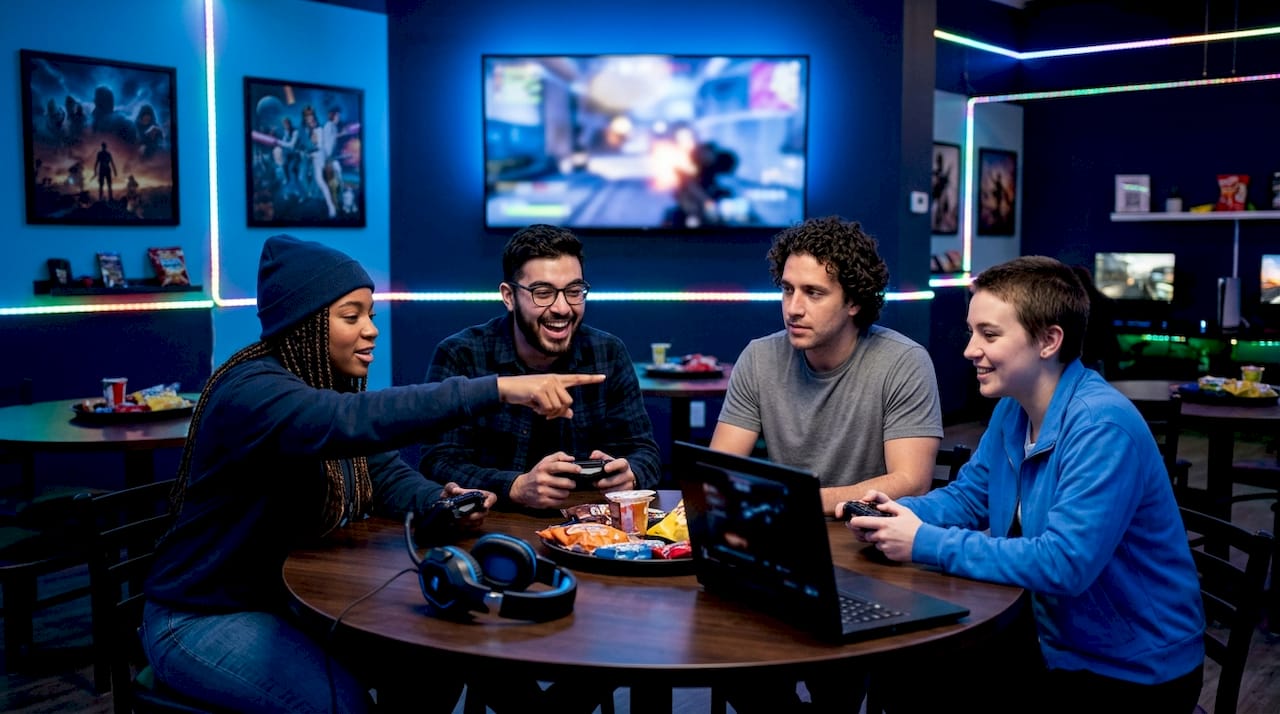
Coordination tools are the technologies that enable multiplayer gaming teams to synchronise actions, share tactical information, and perform as a collective rather than a collection of individuals. Without them, even skilled players default to reactive, disorganised play. Team coordination is the defining factor that separates winning squads from talented ones, outweighing individual skill across virtually every competitive genre. Understanding why multiplayer gaming needs coordination tools means understanding how group play actually works at a mechanical and social level, and why the right infrastructure makes the difference between a frustrating session and a genuinely great one.
Why multiplayer gaming needs coordination tools to win
The performance gap between coordinated and uncoordinated teams is measurable. Effective coordination tools can increase team performance in multiplayer gaming by up to 25%. That figure is not about raw skill improvement. It reflects what happens when players share the same tactical picture in real time.
Voice chat is the clearest example of this effect in action. In competitive titles like Apex Legends, top teams use voice chat during 80% of their match time to coordinate movements. Text communication simply cannot match that speed when a firefight lasts three seconds.
> "Team coordination transforms reactive players into a collective with shared tactical awareness. That shift is accelerating across game genres in 2026, and it is the single clearest predictor of squad success."
The implication is direct. Your group's ceiling is not set by your best player. It is set by how well everyone communicates and acts on shared information. Coordination tools raise that ceiling for the whole team, not just the individual.
- Voice chat reduces decision lag by enabling real-time callouts during fast-moving encounters
- Ping systems let players mark enemies, loot, and positions without breaking concentration
- Shared map overlays give every teammate the same situational picture simultaneously
- Automated status updates keep the team informed without cluttering the voice channel
What are the main types of multiplayer coordination tools?
Coordination tools fall into three broad categories: voice and text communication, visual signalling systems, and session organisation platforms. Each solves a different part of the coordination problem.
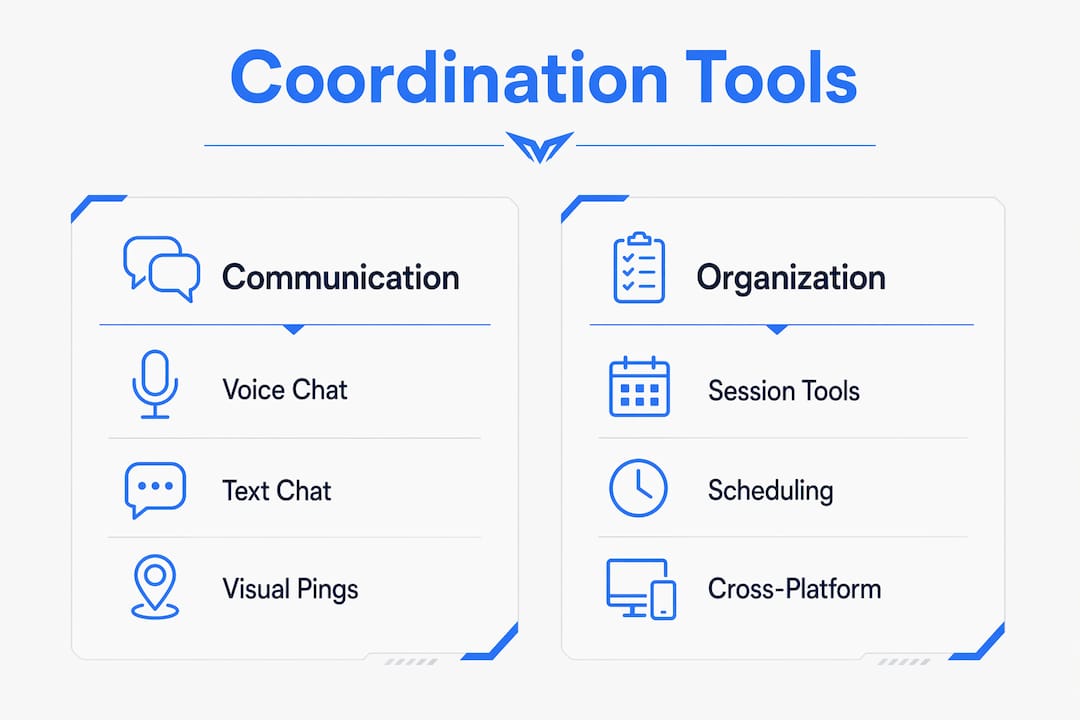
| Category | Examples | Best used for |
| --- | --- | --- |
| Voice communication | In-game voice, Discord | Real-time callouts, strategic pivots |
| Visual signalling | Ping systems, map markers | Fast, non-verbal tactical information |
| Session organisation | Discord events, scheduling apps | Planning sessions, managing group availability |
Voice communication is the highest-bandwidth option. It carries tone, urgency, and nuance that text cannot. The trade-off is cognitive load. Too many voices talking at once creates noise rather than clarity, and that noise actively hurts performance.
Visual ping systems address this directly. Over-reliance on voice chat creates cognitive clutter, and smart non-verbal tools like ping systems improve reaction efficiency by reducing the mental effort required to process incoming information. A single button press communicates "enemy here" faster than any sentence.
Session organisation tools solve a different problem entirely. Getting your group into the same game at the same time is harder than it sounds, especially across platforms. Scheduling tools like Discord servers with events and external apps like Doodle correlate directly with more successful full-group sessions. Organisation before the session starts is itself a form of coordination.
Pro Tip: Use push-to-talk in voice channels rather than open microphone. It eliminates background noise and trains your group to communicate with purpose rather than habit.Console players face an additional layer of complexity. Cross-play on consoles is hindered by SDK limitations, and players often need external hardware or mixed-audio setups to communicate effectively across platforms. This is a structural problem, not a user error, and it is one reason third-party tools have become so central to group play.
Why do current coordination tools still fall short?
The tools available in 2026 are genuinely good. They are also genuinely imperfect, and understanding the gaps helps your group avoid common traps.
Cognitive clutter is the most underappreciated problem. More communication is not always better communication. When every player narrates their own experience simultaneously, the voice channel becomes noise. Successful multiplayer teams prioritise concise clarity over sheer volume, using automated tools for routine updates and reserving voice for higher-value strategic calls. That discipline is a skill, and most casual groups never develop it.
> "Coordination tools can be symptomatic of poor game design when forced externally. Well-designed games integrate context-aware communication natively, reducing cognitive load and improving player responsiveness without requiring external infrastructure."
Platform fragmentation compounds the problem. The decline of native local coordination features risks making multiplayer less personal, and hybrid approaches using third-party tools are now the recommended workaround. That workaround adds friction. Your group needs a Discord server, a scheduling method, a crossplay check, and a voice setup before a single game is even chosen.
The emerging answer is AI-assisted coordination. Tools that provide persistent shared state and visual context help avoid information silos, where one player knows something critical that no one else does. Shared persistent context, where the tool remembers previous sessions and player preferences, mirrors advances in software development collaboration and points toward where gaming coordination is heading.
- Fragmented ecosystems force players onto multiple platforms simultaneously
- Latency in voice tools degrades coordination quality on slower connections
- UI complexity in some tools creates a learning curve that discourages casual groups
- Lack of cross-platform native voice remains a persistent hardware and software barrier
How to choose and use coordination tools for your group
Choosing the right tools starts with knowing what your group actually needs. A casual party game night has different requirements from a ranked competitive squad. Matching the tool to the context prevents over-engineering a simple problem.
1. Assess your group's platform mix first. If your friends play across PC, PlayStation, and Xbox, your coordination setup needs to account for cross-platform compatibility before anything else. A tool that works on one platform but not another creates a two-tier group experience.
2. Use Discord as your session hub. Discord handles voice, text, scheduling, and community in one place. Set up a dedicated server for your group with separate channels for different games or topics. Use the built-in events feature to schedule sessions and send reminders automatically.
3. Adopt ping systems in every game that supports them. Pings are faster than voice for positional information and work even when voice is unavailable. Train your group to use them consistently rather than treating them as a fallback.
4. Establish communication discipline before the session starts. Agree on push-to-talk, agree on what warrants a callout, and agree on who calls strategic pivots. These decisions take two minutes before a session and save twenty minutes of friction during it.
5. Sort the game before you sort the tools. The most common coordination failure is spending the first thirty minutes of a session arguing about what to play. Use Pickthe to let everyone swipe through options and vote simultaneously. The platform covers over 6,000 games, flags crossplay compatibility, and integrates directly with Discord, so your group arrives at a decision in minutes rather than hours.
Pro Tip: For multiplayer games across all skill levels, keep your voice channel strategy simple. One person calls rotations, everyone else confirms or flags danger. Clear roles prevent the communication pile-up that derails most casual squads.The infrastructure question matters too. 88% of US census blocks have access to fixed broadband at 25 Mbps or above, which means the technical foundation for real-time coordination tools is available to most players. The bottleneck is rarely the connection. It is the habits and systems your group builds around it.
Key takeaways
Coordination tools are the single most impactful variable in multiplayer team performance, and the groups that use them deliberately outperform those that rely on instinct alone.
| Point | Details |
| --- | --- |
| Coordination beats individual skill | Shared tactical awareness outweighs personal ability in determining team success. |
| Voice chat needs discipline | Push-to-talk and concise callouts outperform open-mic chatter in every competitive context. |
| Ping systems reduce cognitive load | Non-verbal signals communicate positional data faster and with less mental overhead than voice. |
| Platform fragmentation requires planning | Cross-platform groups need external tools to bridge SDK and hardware gaps between consoles. |
| Session organisation is coordination too | Scheduling and game selection tools prevent the pre-session friction that kills group momentum. |
Coordination tools changed how I think about group play
Watching groups struggle with coordination over the years, the pattern is almost always the same. The tools are there. The intention is there. What is missing is the habit of using them with purpose rather than panic.
The biggest mistake I see is treating voice chat as a substitute for a plan. Your group jumps into a match, everyone starts talking at once, and within two minutes the voice channel is a wall of noise. Nobody is listening because everybody is broadcasting. The fix is not a better microphone. It is a ten-second agreement before the match starts about who calls what.
The second mistake is ignoring the pre-session layer entirely. Coordination does not begin when the match loads. It begins when you decide what to play, who is joining, and whether everyone's platform is compatible. Groups that sort this out in advance play more, argue less, and actually enjoy the session rather than spending half of it in a lobby.
The tools available now, from ping systems to persistent shared-state platforms, are genuinely good. The gap between what they offer and what most groups extract from them is almost entirely a habits problem. Build the habits first. The tools will do the rest.
> — Pickthe
Find games your whole group can actually play together
Getting your coordination tools right is only half the equation. The other half is finding a game that works for everyone at the table, across every platform and preference.

Pickthe is built for exactly that moment. With over 6,000 games in its database, real-time voting, and a veto system that gives every player an equal voice, your group moves from "what should we play?" to actually playing in minutes. The crossplay compatibility checker removes the guesswork around platform mix, and the Discord integration means the whole process happens right inside your existing server. Whether your group gravitates toward MMO multiplayer games that demand deep coordination or action multiplayer games that reward fast teamwork, Pickthe helps you find the right fit without the usual back-and-forth.
FAQ
What are coordination tools in multiplayer gaming?
Coordination tools are platforms and features that help multiplayer teams share information and act together. They include voice chat, ping systems, scheduling apps, and shared map overlays.
How much do coordination tools improve team performance?
Effective coordination tools can improve team performance in multiplayer gaming by up to 25%. That gain comes from faster decision-making and shared situational awareness, not individual skill increases.
Why does voice chat sometimes make coordination worse?
Over-reliance on voice chat creates cognitive clutter when multiple players talk simultaneously. Non-verbal tools like ping systems reduce that load and improve reaction speed in fast-paced encounters.
How do I coordinate across different consoles and platforms?
Console cross-play faces SDK and hardware limitations that prevent native cross-platform voice in many cases. Third-party tools like Discord and a crossplay checker resolve most of these gaps without requiring specialist hardware.
What is the easiest way to organise a multiplayer session for a mixed group?
Use a scheduling tool to confirm availability, a crossplay checker to confirm platform compatibility, and a group voting tool like Pickthe to agree on a game. That three-step process eliminates the most common sources of pre-session friction.