How group game boards work for consoles
How group game boards work for consoles

Group game boards are digital tools or hardware consoles that match players' platforms and preferences to identify compatible multiplayer games, cutting selection time from hours to minutes. Understanding how group game boards work for consoles matters more than ever in 2026, when your group might own a mix of PlayStation 5, Xbox Series X, Nintendo Switch, and PC. The challenge is not finding a game. The challenge is finding one that works for everyone. Pickthe addresses exactly that problem, using a database of over 6,000 games with full crossplay data to match your group in minutes, not hours.
How group game boards work for consoles: matching games across platforms
The core mechanic behind software group game boards is a consolidated database. Pickthe, for example, draws on over 6,000 titles tagged with platform ownership and crossplay compatibility data. Each entry records which platform pairs can play together, so the system knows whether a PS5 player and an Xbox player can join the same lobby.
Here is how the matching process works in practice:
- Platform input. Each player enters the consoles they own. The board uses this to filter out games that do not support the group's combination of hardware.
- Preference swiping. Players swipe through game cards individually, rating each title without seeing anyone else's choices. This private input prevents louder voices from dominating the result.
- Crossplay filtering. The system cross-references each game's crossplay data against the group's platform mix. A game only appears in the final results if it supports every player's console.
- Matched results. The board surfaces the games that scored highest across all players and pass the crossplay check. Your group sees a ranked shortlist, not a wall of options.
The swiping mechanic is the part most groups underestimate. Asynchronous voting collects private, equal input from every player before revealing group results. That design directly counters the common problem where one enthusiastic person pushes their favourite game and everyone else quietly agrees.
Pro Tip: If your group keeps landing on the same three games every session, use the swiping board before you get on the call. Everyone submits preferences independently, and the results feel genuinely shared rather than decided by whoever spoke first.
The crossplay compatibility question is where most groups waste the most time. Manually checking whether a specific game supports PS5-to-PC crossplay, or Switch-to-Xbox crossplay, requires visiting multiple sources. A group game board collapses that research into a single step.
Physical group game boards: technology and social benefits
Not all group game boards are software. Hardware consoles like Board combine capacitive touchscreens with physical tokens recognised by conductive glyphs, creating a tabletop experience that sits closer to a board game than a traditional console. Board supports 2–6 players and ships with seven bundled games, priced at around $399.
The social dynamic is the real differentiator. Reviewers consistently note that hardware group boards enforce face-to-face play, reducing the solitary or competitive split-screen behaviour common in traditional console gaming. Players sit around the same surface, make eye contact, and collaborate physically. That is a meaningfully different experience from four people in separate rooms connected by a headset.
> "Hardware group game boards transform gameplay by encouraging shoulder-to-shoulder collaboration, fostering social interaction rather than isolated screen time."
The buy-once pricing model of hardware boards appeals strongly to households tired of monthly subscription fees. You pay once, and multiplayer support is included. That contrasts sharply with traditional online multiplayer services, which typically require ongoing subscriptions per player.
The table below compares software-based and hardware-based group game boards across the features that matter most to gaming groups.
| Feature | Software-based boards | Hardware-based boards |
| --- | --- | --- |
| Platform compatibility | Cross-platform, any console | Self-contained, no external consoles needed |
| Game library | 6,000+ titles with crossplay data | Bundled titles (e.g., 7 games with Board) |
| Cost model | Free or low-cost, no subscription | One-time purchase (around $399) |
| Social format | Remote or local, screen-based | In-person, tabletop, face-to-face |
| Voting mechanic | Swiping, real-time or async | Physical interaction, shared touchscreen |
| Setup time | Minutes, browser or app | Immediate, plug-and-play |
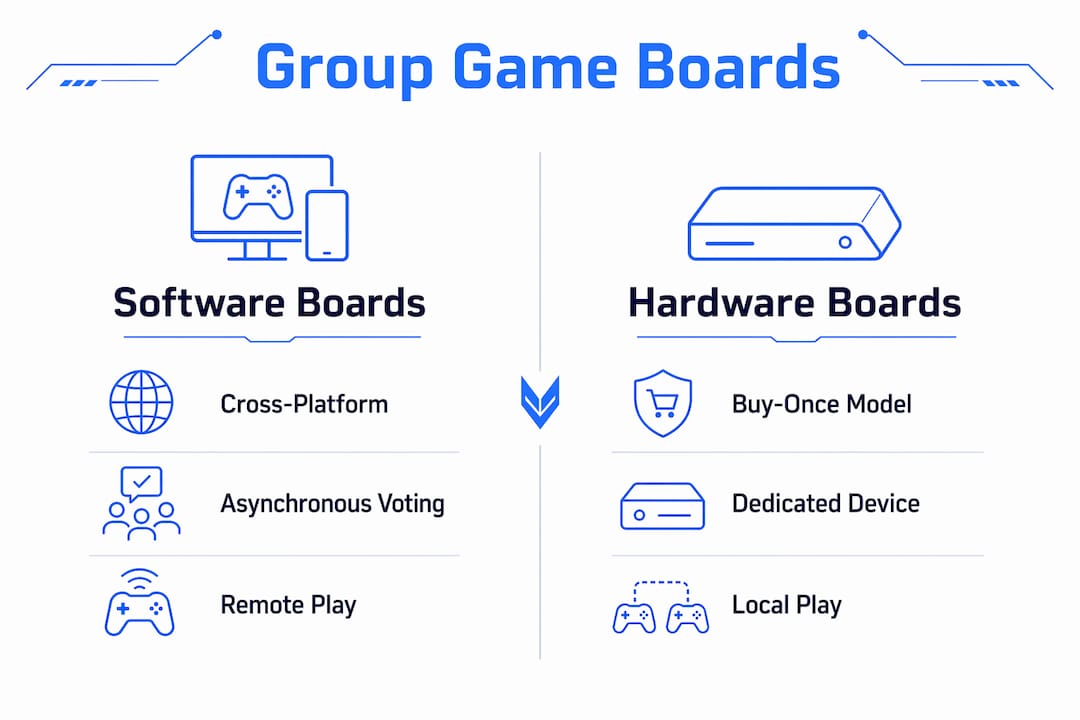
Software boards suit groups spread across different cities or countries. Hardware boards suit households that want a dedicated social gaming object in the living room.
How does Discord integration improve group game selection?
Discord integration is the feature that makes software group game boards genuinely practical for remote gaming groups. Pickthe uses slash commands and embedded activities inside Discord, so your group never has to leave the voice channel to vote on what to play.
The workflow looks like this:
- Trigger the board. A player types a slash command inside the Discord server. The voting board appears as an embedded activity, visible to everyone in the channel.
- Swipe inside Discord. Each player votes on games directly within the Discord interface. No separate tab, no external sign-up required.
- Results appear in-channel. The matched game list posts directly into the chat, keeping the decision visible and agreed upon by the whole group.
- Streamer Mode. For groups who stream, Pickthe offers an overlay that lets viewers vote on the next game via OBS. Streaming integration can increase viewer engagement significantly by turning passive watching into active participation.
The embedded activity design matters because it removes the friction of switching contexts. Every time a group has to open a new browser tab or app, someone drops out of the process. Keeping the vote inside Discord means the decision happens while everyone is already present and engaged.
Pro Tip: Set up your Pickthe board before your Discord session starts. Share the board link in the server's text channel so players can swipe during the day. By the time you all jump on voice, the results are ready and you can start playing within minutes.For groups who use Discord as their primary gaming coordination tool, this integration removes the single biggest source of delay: the pre-game debate.
Practical steps for using group game boards effectively
Getting the most from a group game board requires a small amount of setup, but the process is straightforward once you know the steps.
1. Create a board. Open Pickthe and start a new board. No account is required. Give the board a name your group will recognise.
2. Invite your group. Share the board link via Discord, WhatsApp, or any messaging app. Each player joins independently on their own device.
3. Enter platform details. Every player specifies which consoles they own. This is the step that powers the crossplay filter. Skipping it means the results will not account for platform compatibility.
4. Swipe through games. Players rate games individually by swiping. The process takes two to three minutes per person. Because input is private, no one knows what others are choosing until results are revealed.
5. Review the matched list. The board surfaces games that scored well across the group and pass the crossplay check. Your group picks from a shortlist of genuinely compatible options.
6. Use the veto system if needed. If someone has a strong objection to the top result, the veto feature lets them flag it. The board moves to the next best match automatically.
Groups with varied platform ownership benefit most from step three. A group with one Switch player, two PC players, and one PS5 player will get very different results from a group where everyone owns a PS5. The platform input step is what makes the crossplay matching accurate rather than generic.
Avoiding decision fatigue is the practical goal behind all of this. Expert game night hosts note that quick, collaborative decision-making tools reduce early fatigue caused by indecision. The longer your group spends choosing a game, the less energy everyone has to actually play it.A common pitfall is treating the board as optional. Groups that skip the board and default to whoever speaks loudest end up replaying the same titles repeatedly. The board surfaces games your group collectively likes but might never have suggested individually.
Key takeaways
Group game boards solve the crossplay compatibility problem by combining platform data, private voting, and a large game database to surface the right multiplayer title for any group in minutes.
| Point | Details |
| --- | --- |
| Software boards match platforms | Tools like Pickthe filter 6,000+ games by crossplay compatibility across your group's consoles. |
| Swiping prevents bias | Private, asynchronous voting gives every player equal input before results are revealed. |
| Hardware boards add social depth | Devices like Board enforce face-to-face play for 2–6 players with a one-time purchase model. |
| Discord integration removes friction | Embedded slash commands keep voting inside your voice channel, so momentum never drops. |
| Setup takes minutes | Creating a board, inviting players, and entering platform details requires no account and no paywall. |
Why group game boards are changing how we play together
At Pickthe, we have watched the pre-game debate consume more time than the actual gaming session more times than we can count. Someone suggests a game. Someone else does not own it on that platform. A third person checks crossplay compatibility on a wiki. Fifteen minutes later, the group is still in the lobby, energy fading.
The shift that group game boards represent is not just about convenience. The swiping mechanic changes the social contract of game night. When everyone votes privately and the result emerges from collective preference, the chosen game feels genuinely shared. Nobody feels steamrolled. That matters for group cohesion over the long term.
Hardware boards like Board point toward something interesting too. There is a real appetite for gaming experiences that pull people away from individual screens and back into the same room. The tactile element, physical tokens, a shared touchscreen surface, creates a different quality of attention than staring at separate monitors.
The direction we see this heading is deeper integration with streaming and social platforms. Audience participation in game selection is already possible via overlay tools. The next step is real-time preference matching that includes viewers alongside players. That is a genuinely new social format, and group game boards are the infrastructure that makes it possible.
> — Pickthe
Your group's next game night, sorted
Finding a game your whole group can play should not take longer than the game itself. Pickthe pulls together crossplay data for thousands of titles across PS5, Xbox, PC, and Switch, then matches them to your group's platforms and preferences in a few minutes.

No account needed. No subscription. Your group swipes, the board matches, and you play. If you want to see what is compatible across your specific consoles right now, the crossplay compatibility checker gives you an instant answer. Or browse the full multiplayer game finder to let your group vote on what to play tonight.
FAQ
What is a group game board for consoles?
A group game board is a tool, either software or hardware, that matches multiplayer games to a group's platform mix and collective preferences. Software versions like Pickthe use databases of thousands of titles with crossplay data; hardware versions like Board are standalone tabletop consoles.
How does crossplay matching work on a game board?
Each player enters the consoles they own, and the board filters its game database to show only titles that support crossplay across every platform in the group. Pickthe cross-references platform pair compatibility for each game automatically.
Does the swiping mechanic actually make game selection fairer?
Yes. Private, asynchronous voting collects each player's preferences before revealing results, which prevents dominant voices from steering the group toward a single choice.
Can group game boards be used inside Discord?
Pickthe integrates directly with Discord via slash commands and embedded activities, so your group can vote on games without leaving the voice channel.
How much does a hardware group game board cost?
Hardware consoles like Board are priced at around $399 and use a buy-once model that includes bundled games and multiplayer support, with no ongoing subscription required.