What is a multiplayer game finder? Your 2026 guide
What is a multiplayer game finder? Your 2026 guide

A multiplayer game finder is a consumer-facing digital tool designed to help players discover games that support specific multiplayer modes, such as online co-op, local split-screen, or PvP, across different platforms. Rather than trawling through Steam, the PlayStation Store, and Xbox Game Pass separately, your group gets one place to search, filter, and agree on what to play. The core value is simple: less time arguing about compatibility, more time actually gaming.
Here is what a multiplayer game finder typically does for your group:
- Aggregates game data from multiple storefronts and metadata sources, so you see accurate mode and platform information in one search
- Filters by multiplayer mode, player count, genre, and cross-platform compatibility to narrow down options fast
- Matches players based on playstyle, skill level, or shared game libraries
- Integrates with social platforms like Discord to keep the decision-making inside your existing chat
- Maintains updated catalogues so new releases appear promptly without manual curation
For UK gamers especially, these tools save real time. Platform fragmentation across PC, PS5, Xbox, and Switch means crossplay restrictions are common, and checking each game manually is genuinely tedious.
*How do multiplayer game finders actually work?
The backbone of any game finder is its multiplayer game database. Tools like FindOurGame run an automated pipeline that scans the Steam catalogue daily, importing enriched metadata so new releases appear promptly. That metadata covers up to nine distinct multiplayer modes, including online co-op, local multiplayer, PvP, split-screen, LAN, and drop-in/drop-out, giving you genuinely granular filtering rather than a vague "multiplayer supported" tick box.

Beyond discovery, many platforms layer on matchmaking. AI-driven grouping matches players by playstyle and skill, while Looking for Group (LFG) features let you post or browse open lobbies. Discord bot integrations are increasingly standard, letting your group vote on games without leaving a voice channel.
Pro Tip: Before your group commits to a title, use the crossplay filter explicitly. Platform fragmentation means a game can be "multiplayer" on PS5 but have no crossplay with PC, which wastes everyone's time. A good finder surfaces this upfront so you never land on an incompatible title.Key features you will find across most platforms:
- LFG boards for posting and joining open lobbies by game and skill level
- Discord bot integration for in-chat voting and scheduling
- Hardware and platform filters to verify compatibility before your group commits
- Real-time notifications when a lobby fills or a match is found
- Chat and voice capabilities built natively or via Discord
The backend infrastructure powering these tools is separate from what you see. As Tencent Cloud explains, game databases manage player state and session data invisibly, while the consumer-facing finder handles discovery and matching. You never interact with that layer directly, but it is what keeps results fast and accurate.
*Popular multiplayer game finder tools and platforms
The market for game finders has grown noticeably, and a few platforms stand out for distinct reasons.
- Pickthe (PickThe.Games): Built specifically around group decision-making, Pickthe uses a swiping and voting mechanic so every player in your group has equal input. It covers over 6,000 games with continuous updates and integrates directly with Discord for real-time game selection during chats. There are no paywalls, and the veto system means nobody gets steamrolled into a game they dislike.
- Co-Optimus: A specialist catalogue focused entirely on cooperative play. You can filter by co-op mode and hardware to confirm compatibility before purchasing, which is particularly useful for couch co-op or campaign co-op titles where mode details are often buried in store listings.
- Parsec Party Finder: Oriented towards social matchmaking, Parsec connects players for remote local-play sessions. It suits groups who want to play local-style games online, bridging the gap between physical and online co-op.
- LFG-focused platforms: Several platforms concentrate purely on squad formation rather than game discovery. PlayerFinder, for example, offers native Discord integration alongside custom profiles and real-time notifications, with hundreds of active lobbies across popular titles.
- Catalogue-style finders: Tools like FindOurGame focus on PC game discovery with price comparison across stores, letting your group build shared shortlists and answer a few quick questions to get tailored recommendations.
One thing worth clarifying: platform sharing features like Nintendo's GameShare are not game finders. GameShare lets a Switch 2 host share a purchased game with nearby players, which is a different function entirely. A game finder helps you choose what to play; GameShare helps you play it without everyone owning a copy.
*What are the real benefits for UK gamers?
The practical advantages go beyond convenience. For UK players, regional server availability and latency matter as much as game selection, and a good finder accounts for both.
- Time saved on discovery: Searching manually across storefronts for a game your whole group can play, on their respective platforms, can take the better part of an evening. A finder collapses that to minutes.
- Reduced social friction: Compatibility mismatches are one of the most common reasons a gaming session falls apart before it starts. Finders surface crossplay restrictions upfront, so your group avoids that awkward "oh, you're on Xbox and I'm on PC" moment.
- Better game discovery: Filters for genre, player count, and mode surface titles your group would never have found by browsing a storefront. Party games, MMOs, and fighting games each have dedicated filters on most platforms.
- Privacy and safety controls: Most platforms let you set profiles to private, control who can see your activity, and report or block players. For younger UK gamers especially, these controls matter.
- Server and latency awareness: Some finders flag regional server availability, which directly affects whether a UK-based group will experience acceptable ping on a given title. Checking game server availability before committing to a game is a habit worth building.
Cross-platform play limitations require finders to provide accurate metadata, as Epic Games' own documentation makes clear. When that metadata is wrong or outdated, groups waste time on titles that do not actually support their platform combination.
*What makes Pickthe's approach different?
Pickthe takes a specific angle on the group decision problem that most finders ignore: the social negotiation of choosing a game. Most tools help you find options. Pickthe helps your group agree on one.

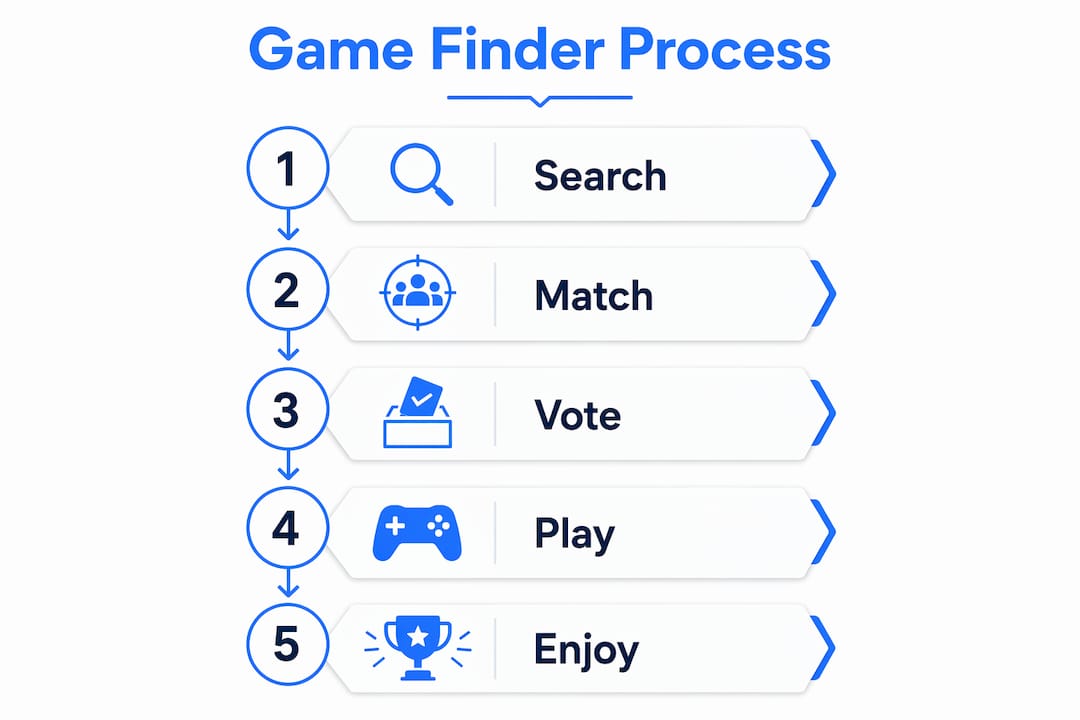
The swiping mechanic gives every player equal input, so the loudest voice in the group chat does not automatically win. Each person swipes through titles, and the platform surfaces games where preferences overlap. The veto system adds a further layer, letting anyone block a title they genuinely do not want to play, which prevents resentment before the session even starts.
Discord integration is built in from the start, not bolted on as an afterthought. Your group can run the entire voting process inside a Discord chat, which means no switching between apps mid-conversation. For groups who already organise sessions via Discord, this removes the last remaining friction point.
The catalogue covers thousands of titles spanning party games, MMOs, fighting games, and more, with metadata updated continuously. If you want to browse by genre, the MMO multiplayer catalogue and party game listings give your group a focused starting point rather than an overwhelming list of everything.
There are no subscription fees, no premium tiers blocking core features, and no ads interrupting the voting flow. For a UK gaming group that just wants to get into a session quickly, that accessibility is the point.
*Key takeaways
A multiplayer game finder saves your group time by aggregating crossplay and mode data across platforms, so you spend less time searching and more time playing.
| Point | Details |
| --- | --- |
| Core purpose | A game finder aggregates multiplayer mode and crossplay data so groups avoid incompatible titles. |
| Database scale | Pickthe maintains metadata for over 6,000 games across genres, updating its catalogue continuously. |
| Group decision tools | Voting, swiping, and veto features give every player equal input on what to play. |
| Discord integration | Pickthe runs the full voting process inside Discord, removing the need to switch apps. |
| UK relevance | Regional server awareness and crossplay filters help UK groups avoid latency and compatibility issues. |