Two player online games you can play with friends right now
Two player online games you can play with friends right now
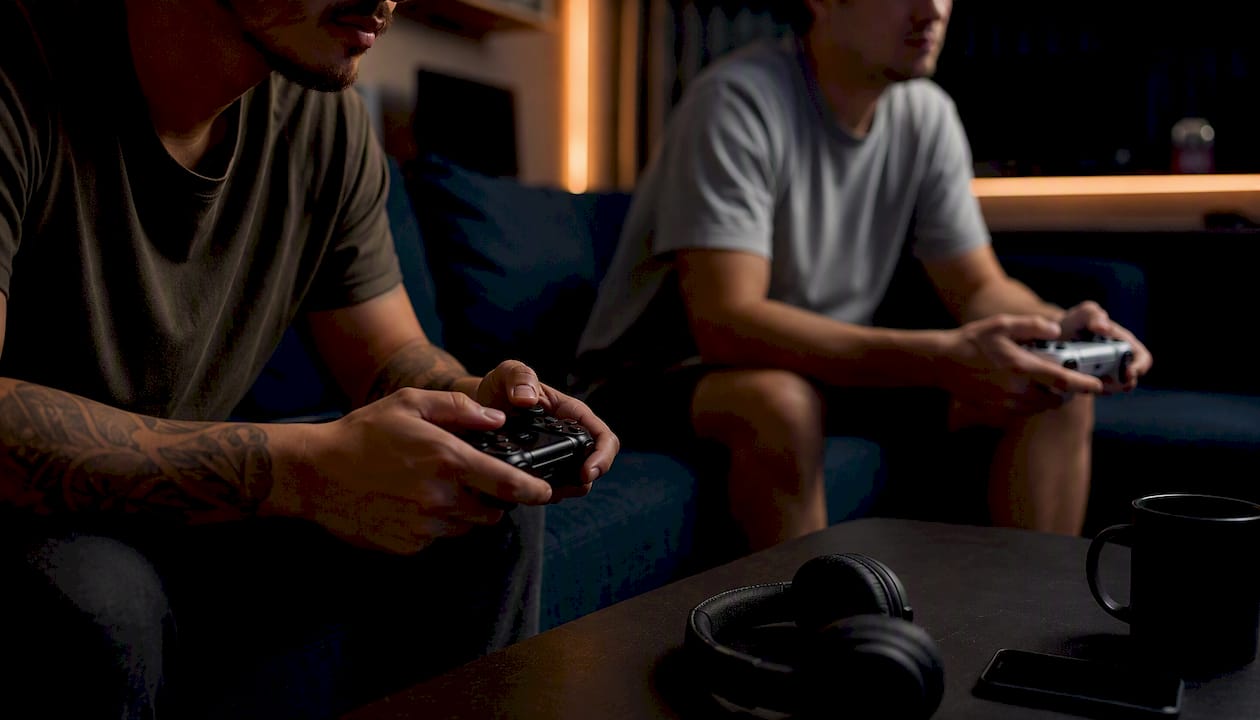
Want to jump straight in? Four picks cover most moods: Rooftop Snipers (browser, versus, free, chaotic physics duels), Fireboy and Watergirl (browser, co-op, free, puzzle platforming), Battleships.io (browser, competitive, free, ranked naval combat), and N Plus Infinity Times Two (PC download, co-op or versus, paid, flexible online/local modes). Pick one, open it, and you're playing inside a minute.
- Rooftop Snipers — Browser, versus, free, no sign-in.
- Fireboy and Watergirl — Browser, co-op, free, shared keyboard.
- Battleships.io — Browser, competitive, free, private rooms.
- N Plus Infinity Times Two — PC, co-op/versus, paid, online and local.
Key Takeaways
Browser-based two-player games get you into a match fastest, while crossplay titles reward the extra setup with longer, richer sessions.
| Point | Details |
| --- | --- |
| Start with browser titles | Rooftop Snipers, Basketball Stars, Fireboy and Watergirl, House of Hazards and Stickman Battle need no download or sign-in. |
| Match genre to mood | Co-op suits teamwork, versus suits rivalry, sports and racing suit short breaks. |
| Fix connection issues early | Check browser permissions and router settings before assuming the game itself is broken. |
| Crossplay needs checking, not assuming | Confirm compatibility before launching a session across different platforms. |
| Use a picker for group decisions | Pickthe's real-time voting and crossplay checker cut the choosing time down to minutes. |
Table of Contents
- Types of two player online games and what to expect
- How to connect and play with a friend
- Best browser two player games to try now
- Crossplay and modern two player games worth downloading
- How to pick the right game for tonight
- The fastest fix for indecisive groups
- Frequently asked questions
- Sources
Types of two player online games and what to expect
Every pairing session falls into a handful of buckets, and knowing which one you're in the mood for saves a lot of scrolling. Co-op games ask you to work together against the game itself. Versus and duel titles pit you against your friend directly, which is where most of the trash talk happens.
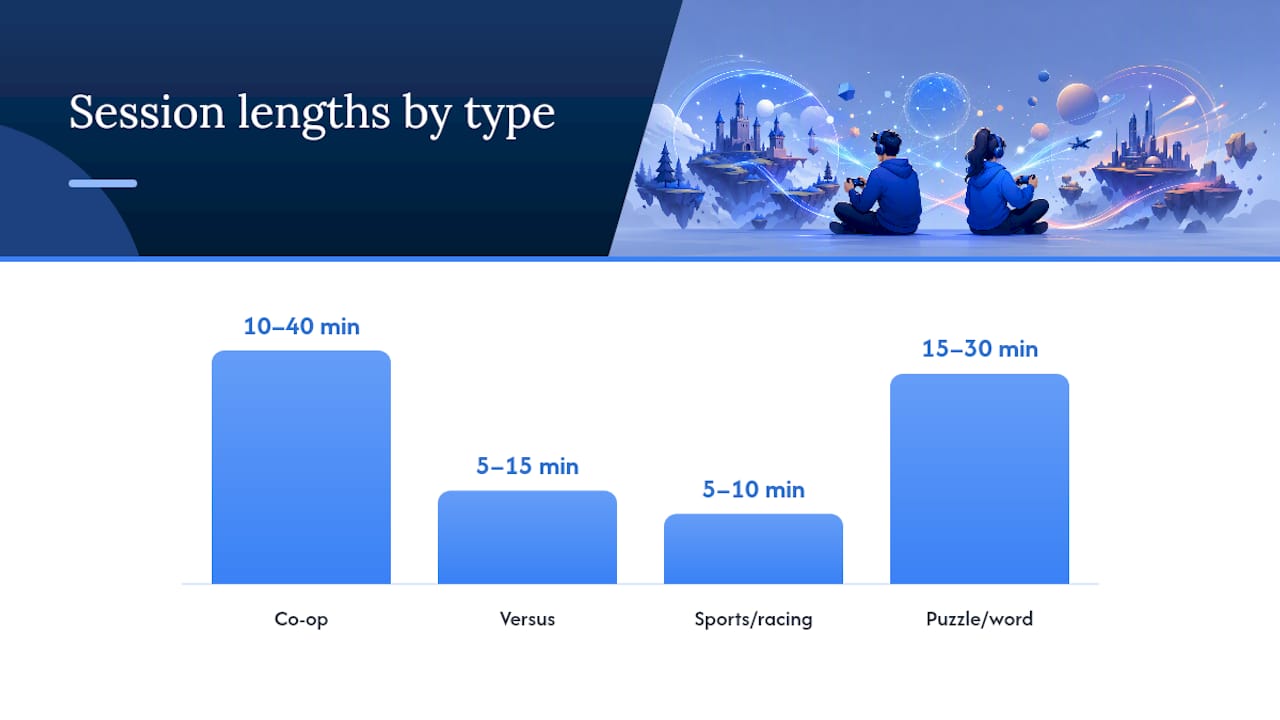
Sports and racing games tend to run short, punchy rounds, usually under ten minutes, and they're forgiving if one of you is rusty. Puzzle and word games favour a slower, more relaxed pace, often stretching a session to 20 or 30 minutes of quiet cooperation. Classics and party minigames sit somewhere in between: quick to learn, quick to replay.
Portals like Poki group two-player titles into action, fighting, sports, arcade, classics and racing, which roughly mirrors how most players actually search for games. Browser titles dominate the co-op, puzzle and classics categories because they need no install. Fighting and sports genres split more evenly between browser and downloadable titles, since the latter often want proper controller support.
- Co-op: shared goal, browser or download, 10 to 40 minutes.
- Versus: head-to-head, mostly browser, 5 to 15 minutes.
- Sports/racing: quick rounds, browser-friendly, 5 to 10 minutes.
- Puzzle/word: relaxed pace, browser or mobile, 15 to 30 minutes.
How to connect and play with a friend
Getting two people into the same match is usually simpler than it sounds, but the exact steps depend on where you're both sitting.
1. Sit together on one device and split the controls. Most browser two-player games divide the keyboard between WASD and arrow keys, so agree on sides before you start.
2. Create a private room in the game's lobby if you're playing from separate devices. Titles like Battleships generate a shareable room code in seconds.
3. Share the invite link or code through whatever chat app you already use. Keeping voice chat inside the same app you're using for text avoids juggling three windows.
4. Use quick matchmaking if neither of you wants to wait for a friend to log on. Most browser titles offer an instant "find opponent" button that skips the room setup entirely.
Pro Tip: If a connection keeps dropping, check your browser's permission settings for the site first, then your router. Most connection failures in browser games come down to a blocked WebSocket, not the game itself.Best browser two player games to try now
Browser-based two-player games remain the fastest route into a match: no download, no account, and usually no wait. These five turn up again and again on curated two-player lists, and each earns its spot for a different reason.
- Rooftop Snipers — A physics-based shooting duel where wobbly ragdoll aiming makes even a bad shot funny. Browser, shared keyboard, free, no sign-in required. Best for quick, competitive bursts between rounds of something longer.
- Basketball Stars — A fast one-on-one basketball game with simple tap-to-shoot controls. Browser, works on mobile too, free. Good for a five-minute competitive breather rather than a long session.
- Fireboy and Watergirl — A cooperative puzzle platformer where each player controls a character with different abilities, and neither can finish a level alone. Browser, shared keyboard, free. One of the better picks if you want teamwork rather than rivalry.
- House of Hazards — A chaotic obstacle course where one player sets traps while the other tries to survive them. Browser, shared keyboard, free. Leans casual and silly rather than competitive.
- Stickman Battle — A stripped-down stickman fighting game built for quick, scrappy versus rounds. Browser, shared keyboard, free. Works well as a warm-up before a longer game.
For something closer to a real strategy board, Larss offers a free 1v1 block-blast game with alternating turns, no account and no download, which suits players who want a slower, thinkier head-to-head than the arcade titles above. Word game fans have options too: browser and mobile crossovers of games like NYT Crossplay: Play and Spell add turn-based tile placement with match history and in-game chat, giving a calmer alternative to the physics chaos above.
Crossplay and modern two player games worth downloading
Browser games cover the quick, casual end of things, but some pairs want a longer campaign or proper controller support. That's where crossplay and cross-platform titles come in, and it's worth knowing what "crossplay" actually promises before you commit to buying something.
N Plus Infinity Times Two is a solid example on Steam: its store page lists multiple online and local multiplayer modes, with netcode that supports combinations of online and local players across five distinct online modes. That flexibility matters if one of you is on a laptop and the other's on a different machine entirely.
Cooperative RPGs, shooters and puzzle games with longer campaigns are well covered in New Game Network's co-op round-up, which spans genres for players who want a few hours of shared progress rather than a five-minute round. Community threads back this up too. Suggestions like Stardew Valley and Operation: Tango show up repeatedly wherever players ask for a two-player online co-op recommendation.
Most downloadable titles run free-to-play with optional purchases or a flat one-off price, so check the store listing before assuming it's free. Console and PC crossplay sessions also tend to run longer than browser rounds. Expect proper matchmaking queues rather than instant joins, and expect the occasional platform-specific quirk, especially around voice chat.
How to pick the right game for tonight
1. Check how much time you've actually got. Fifteen minutes calls for something like Rooftop Snipers, not a co-op campaign.
2. Test your connection quality first. A shaky connection kills a fast-paced versus game faster than a slow co-op one.
3. Decide how competitive you're feeling. Versus games spike tension; co-op games lower it.
4. Confirm you've both got the input you need. Some titles need a controller each, others just need a shared keyboard.
5. Check crossplay if you're on different platforms. Don't assume it works both ways.
6. If you're still stuck, vote or flip a coin. A quick shortlist and a vote beats twenty minutes of "you pick."
The fastest fix for indecisive groups
If your group spends longer choosing a game than playing it, the fix is a workflow, not more willpower: shortlist three or four options, run a quick vote, check crossplay compatibility across everyone's devices, then launch the private room. Skipping the crossplay check is the most common cause of a match falling apart five minutes in.
Pro Tip: When crossplay is limited, filter your shortlist to platform first and genre second, then keep a mobile companion app open for voice chat so nobody's stuck without audio. This is exactly the gap a real-time voting and crossplay checker closes for a group deciding on the fly.A quick note on keeping it fun
We curate two-player picks with one rule in mind: a game should stay fun whether you're playing to win or just playing to laugh. Balance beats bragging rights most nights.
Stop debating, start playing
Picking a two-player game shouldn't take longer than playing one. Pickthe lets your group swipe through options together and vote in real time, so you land on something you'll both actually enjoy instead of settling for whoever argued longest.

Two features solve the exact friction covered above: real-time voting kills the back-and-forth, and the built-in crossplay compatibility checker confirms your devices can actually connect before you waste ten minutes on a lobby that won't load. If tonight's session is stuck at the "what do you want to play" stage, run your shortlist through the checker and get straight to a private room.
Frequently asked questions
Can two people play online games together for free?Yes. Most browser titles, including Rooftop Snipers, Fireboy and Watergirl and Battleships.io, are free with no sign-in needed.
What are good two player games for total beginners?Casual co-op picks like Fireboy and Watergirl or House of Hazards need almost no learning curve and work on a shared keyboard.
Do two player games need the same platform for both players?Not always. Crossplay titles like N Plus Infinity Times Two support mixed online and local setups, but always check the store listing first.
How do we play a two player game if we're not in the same room?Create a private room or lobby code in the game, share it through your usual chat app, and join from separate devices.
What causes connection problems in online two player games?Blocked browser permissions and router settings cause most drops, more often than the game itself.
Sources
- Battleships
- Larss — free 1v1 block-blast strategy board game
- N PLUS INFINITY TIMES TWO on Steam
- 30 Best Co-op Games to Play With Friends Right Now