Fall Guys crossplay: how to link accounts and play with friends
Fall Guys crossplay: how to link accounts and play with friends
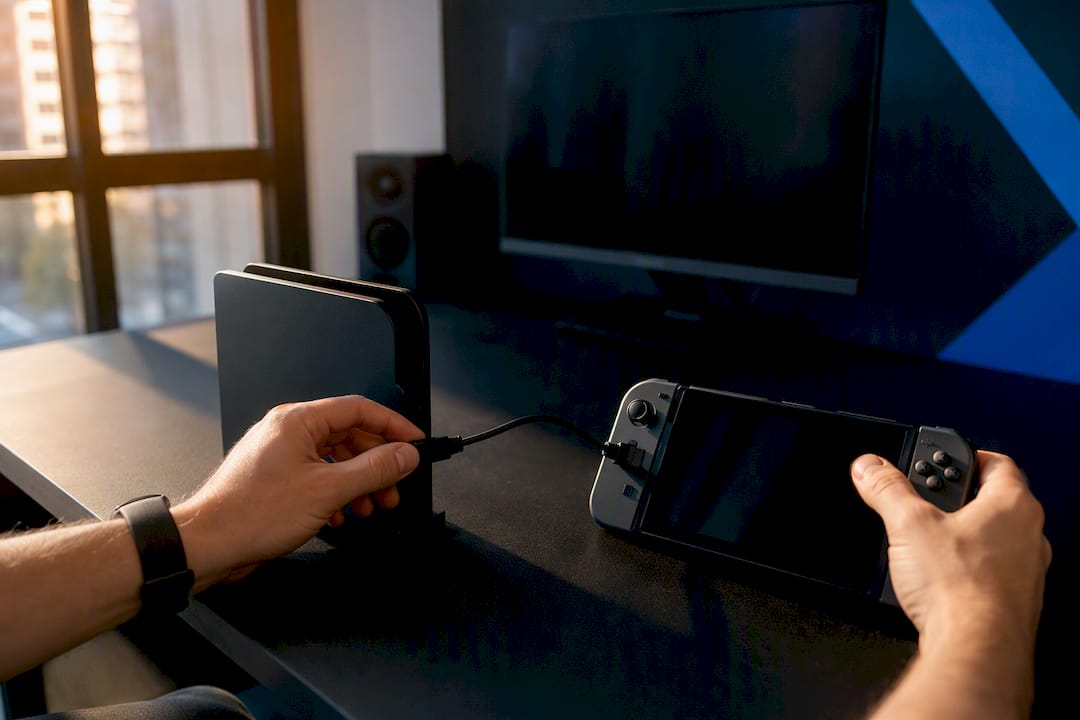
Yes, Fall Guys supports crossplay and cross-progression once you link an Epic Games account. That account is what ties everything together, so you'll want to sort it before you invite anyone to a party.
Here's what you need to know before you jump into a round of Fall Mountain with mates on other consoles:
- Crossplay works across every supported platform, so PlayStation, Xbox, Nintendo Switch, and PC players can all queue up together.
- An Epic Games account is mandatory for both crossplay and cross-progression to function.
- Your progress, cosmetics, and season rewards sync automatically once your platform accounts are linked to that one Epic account.
Key Takeaways
Fall Guys crossplay and cross-progression both depend entirely on linking a single Epic Games account across every platform you play on.
| Point | Details |
| --- | --- |
| Link one Epic account | Connect every platform account to a single Epic profile to enable crossplay and cross-progression. |
| Add friends by Epic name | Use Epic Games Display names, not console gamertags, to find and invite friends across platforms. |
| Check your primary profile | The active primary profile controls which cosmetics and stats display in mixed-platform sessions. |
| Sort voice chat separately | Use Discord for cross-platform voice, since Fall Guys has no native cross-console chat system. |
| Confirm compatibility early | Run a quick platform check or use a crossplay checker before sending party invites. |
Table of Contents
- How to link Fall Guys to an Epic Games account
- How to add friends and invite them across platforms
- Which platforms support Fall Guys crossplay?
- What actually syncs with cross-progression
- Fixing missing progress or friends who won't show up
- Planning cross-platform sessions with PickThe.Games
- Does your platform affect ping or gameplay feel?
- Can you voice chat across platforms in Fall Guys?
- What the setup process actually reveals about Fall Guys crossplay
- Frequently asked questions about Fall Guys crossplay
- Sources
How to link Fall Guys to an Epic Games account
You'll need an Epic Games account to unlock crossplay, and setting one up takes less time than a single match of Fall Ball.
1. Create or sign in to an Epic account through the Epic Games Store launcher on PC, or via the Epic website if you're starting from a console; for help with account issues, check the Fortnite Ban Appeal Letter | Get Unbanned Fast page.
2. Launch Fall Guys on your platform of choice. If you haven't linked an account yet, the game will prompt you to create or connect one before you reach the main menu.
3. Follow the on-screen linking flow. This connects your console or PC identity to your Epic profile, which is what makes cross-progression possible.
4. Choose your primary profile. This decides which platform's inventory and stats show up when you're playing across devices, so pick the platform where you've spent the most time or hold the most exclusive cosmetics.
5. Double-check the link by heading into your account settings and confirming the correct platform accounts appear under your Epic profile.
Pro Tip: Turn on two-factor authentication for your Epic account before you link anything. It takes thirty seconds and stops someone else from hijacking your season progress or cosmetics.Get this right once, and you won't need to touch it again. Fall Guys will remember your linked accounts every time you log in from any platform.
How to add friends and invite them across platforms
Once your Epic account is sorted, adding friends across platforms works the same way whether they're on a Switch, an Xbox, or grinding away on Steam Deck.
- Add friends by their Epic Games Display name, not their console gamertag or PSN ID. This is the detail that trips most players up.
- Open your friends list from the main menu and invite them directly into your party once they've accepted.
- Use custom lobbies or invite codes if you want a private show with a specific group, useful for streamers or larger friend circles running their own tournaments.
- Check party size limits before you invite everyone. Fall Guys caps how many players can join a single show, so agree on numbers in advance if your group is bigger than that.
- Sort out voice chat or a Discord call beforehand. In-game communication is limited, so most groups run a separate call alongside the match.
Adding friends through Epic's system means your friend list travels with you, so you won't need to re-add anyone if you switch platforms later.
Which platforms support Fall Guys crossplay?
Fall Guys is available on PlayStation, Xbox, Nintendo Switch, PC through the Epic Games Store, and mobile devices, and all of them support crossplay through the shared Epic account system. Crossplay itself isn't a brand-new feature. It arrived properly during the Season 6 mid-season update, which expanded cross-platform lobbies beyond custom shows into standard matchmaking.
A few platform quirks worth knowing:
- PC players should use the Epic Games Store, not old Steam installs, since GamesRadar notes Epic's launcher is now the primary route for new PC players and handles account linking more smoothly.
- Mobile support exists but with some feature differences, so don't expect total parity with console and PC builds in every mode.
- Switch performance can lag slightly behind PC and console in busy rounds, though matchmaking itself works fine across all platforms.
- No platform is excluded from crossplay lobbies, unlike some other cross-platform games, which cordon off certain devices from ranked or competitive modes.
What actually syncs with cross-progression
Cross-progression relies on Epic's account system to carry your identity between devices, and it covers more than most players expect.
- Level progression and player stats sync across every linked platform.
- Cosmetics you've unlocked or purchased follow you, provided they weren't tied to a platform-exclusive promotion.
- Season pass progress and rewards carry over, so grinding on console one week and PC the next won't cost you anything.
The exceptions matter too. Platform-specific DLC bundles or promotional items bought through a console storefront sometimes stay locked to that platform. Your primary profile selection also determines which inventory displays during mixed-platform play, so if a skin seems to have vanished, check that setting first before assuming it's gone for good.
Fixing missing progress or friends who won't show up
Most crossplay problems come down to one of three things: account linking, server status, or a mismatched primary profile.
1. Confirm your Epic account is linked correctly on every platform you play on. Sign out and back in if you're not sure it took.
2. Check that you're logged into the same Epic account everywhere. It sounds obvious, but signing into a second Epic account by accident is a common cause of "missing" progress, and community reports back this up.
3. Review your primary profile setting if cosmetics or stats look wrong, since the active profile controls what displays in mixed sessions.
4. If friends aren't appearing, double-check you added their exact Epic Display name rather than a platform username.
Pro Tip: If you need to raise a support ticket, include your platform, Epic ID, a screenshot of the issue, and roughly when it happened. Vague tickets take longer to resolve than specific ones.Planning cross-platform sessions with PickThe.Games
Sorting out crossplay is only half the job. Getting a mixed-platform group to actually agree on what to play is its own challenge, which is exactly the gap Pickthe fills.
- Run a quick platform check first. Confirm who's on PlayStation, Xbox, Switch, or PC before you start planning anything.
- Set up a PickThe.Games board and let everyone swipe on games they're up for, with cross-platform compatibility already factored in.
- Invite the group via Discord, since PickThe.Games integrates directly so voting happens without leaving the chat.
- Use the crossplay compatibility checker to confirm Fall Guys, or anything else on the shortlist, actually works for everyone's setup.
Does your platform affect ping or gameplay feel?
Latency in Fall Guys depends far more on your internet connection and regional matchmaking than on which platform you're using. Because every platform connects through the same Epic Online Services backbone, a PC player and a PlayStation player in the same region will typically land in the same server pool with comparable ping.
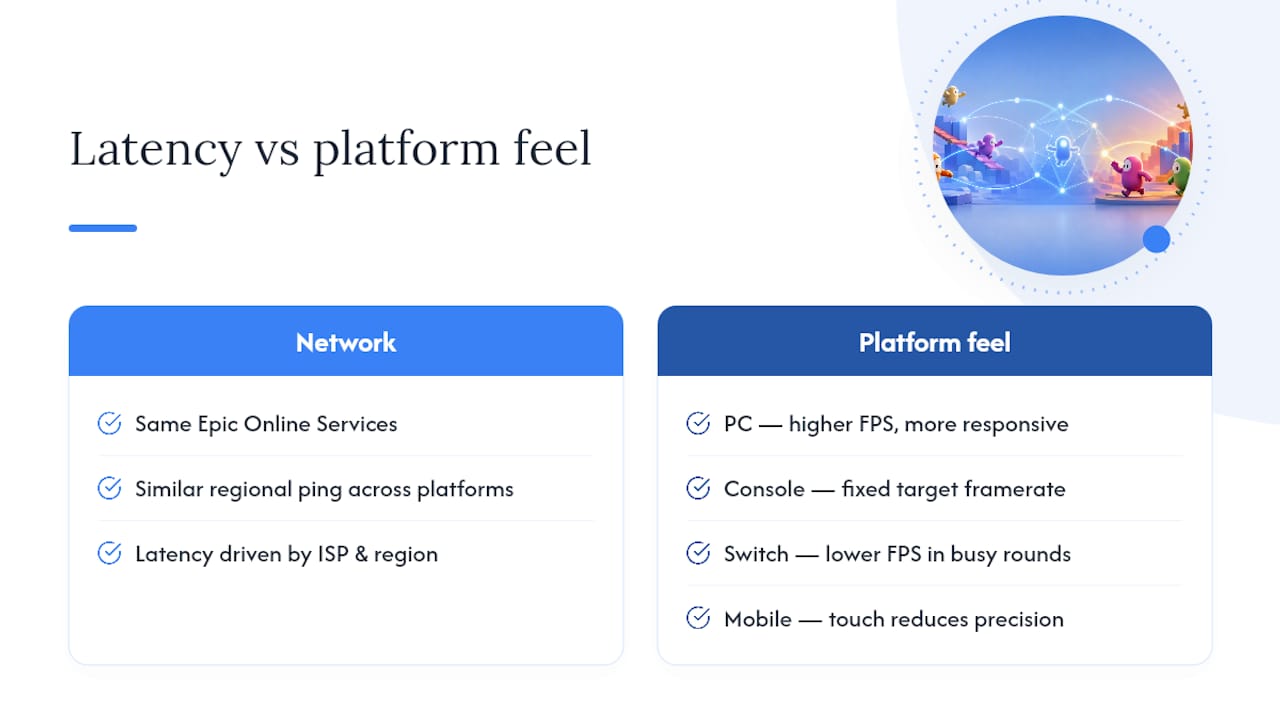
Where platforms differ is frame rate and input feel rather than network latency. Console versions run at a fixed target frame rate, while PC players with stronger hardware can push higher frame rates, which can make movement and jumps feel marginally more responsive. Switch tends to sit at the lower end of that spectrum, particularly in busy rounds with lots of physics objects on screen, such as the seesaw or hex-based finals.
None of this creates an unfair advantage in the way it might in a twitch shooter. Fall Guys is built around chaotic physics and simple inputs, so a slightly lower frame rate on one platform rarely decides a round. Mobile is the platform most likely to feel different, since touch controls change how precisely you can aim a dive or grab, but the underlying matchmaking and connection quality work the same way as on console or PC.
If your group is spread across several platforms and someone consistently reports lag, it's usually worth checking their home connection or regional server selection before blaming the platform itself.
Can you voice chat across platforms in Fall Guys?
Fall Guys doesn't include a robust built-in voice chat system, so cross-platform voice communication depends on tools outside the game rather than anything native to it. PlayStation and Xbox both offer party chat through their own console ecosystems, but those systems don't talk to each other, and PC has no equivalent built into Fall Guys itself.

The practical workaround, and the one most groups already use, is running a separate voice call through Discord. It works identically regardless of which platform each person is playing on, which makes it the closest thing to a universal solution for cross-platform Fall Guys sessions. Console players can usually run Discord through a mobile device or a secondary screen if their platform doesn't support the app directly, while PC and mobile players can run it alongside the game with no extra hardware needed.
Some newer console generations support party chat apps that bridge into Discord, but coverage isn't consistent enough to rely on for a mixed group. If your crew spans PlayStation, Xbox, and PC, agree on Discord as the default before the session starts. It sidesteps the console party chat wall completely and means nobody's left typing in the in-game text chat while everyone else is talking.
What the setup process actually reveals about Fall Guys crossplay
The conventional advice treats Fall Guys crossplay as a toggle you switch on. It isn't. It's a single dependency, your Epic Games account, that everything else hangs off. Miss that step and no amount of fiddling with friend lists or party settings will fix it.
Where most guides fall short is the primary profile setting. It gets buried as a footnote when it's actually the most common source of "my cosmetics disappeared" confusion. If you take one thing from this article, prioritise checking that setting before you assume anything's actually broken.
The other overlooked piece is coordination before you even open the game. Crossplay solves the technical barrier, but it doesn't solve the "what are we actually playing tonight" conversation. That's a logistics problem, not an account problem, and it's worth treating it as one. A five-minute platform check saves everyone the awkward mid-lobby discovery that half the group can't join.
Frequently asked questions about Fall Guys crossplay
Does Fall Guys support crossplay?Yes. Fall Guys supports crossplay across PlayStation, Xbox, Nintendo Switch, PC, and mobile, provided everyone links an Epic Games account.
Is Fall Guys crossplay automatic once I install the game?No. You need to create or link an Epic Games account first. The game prompts you to do this the first time you launch it.
What exactly does cross-progression save?Your level progress, unlocked cosmetics, and season pass rewards all sync across linked platforms, with a few platform-exclusive purchases as exceptions.
Can I play Fall Guys crossplay with a friend on Switch if I'm on PC?Yes. Add them using their Epic Games Display name, then invite them to your party from the main menu.
Why isn't my progress showing up after linking accounts?Check that you're signed into the correct Epic account on every device, and confirm which primary profile is currently active, since that setting controls what inventory displays.
Sources
- Cross-platform progression comes to Fall Guys with Epic Games Accounts
- Can I play Fall Guys with my friends on another platform? (Epic Games support)
- How to play Fall Guys crossplay and cross-platform | GamesRadar