Best cross-platform party games to play with friends tonight
Best cross-platform party games to play with friends tonight

If you need one answer right now: start with The Jackbox Party Starter if your group has mixed devices and just wants phone controllers, Fall Guys for chaotic, easy-to-learn minigame madness, Among Us for cheap social deception with zero learning curve, and Rocket League if someone in the group actually wants competition rather than chaos. All four run across PC, PlayStation, Xbox and Switch, and most support mobile too, so device mismatch stops being the excuse that kills game night before it starts.
Cross-platform play has become the default expectation for social multiplayer titles rather than a bonus feature, and party games in particular lean on it hard because the whole point is getting everyone in, regardless of what's sitting under their TV. Major crossplay benchmarks like Minecraft, Fortnite and Rocket League prove the tech works reliably across PC, PlayStation, Xbox and Switch, and party-specific titles have followed that lead.
Here's the quickest path to a game night: pick two or three titles from the list below, text the group a room code or Discord invite, and confirm everyone can join before you commit an evening to it.
- The Jackbox Party Starter – best for phone-as-controller, huge groups
- Fall Guys – best for chaotic free-for-all minigames
- Among Us – best for cheap, low-spec social deception
- Rocket League – best for competitive casual play
- Party Club: Hangry Animals – best for small, four-player chaos
Key Takeaways
The fastest cross-platform party nights combine a low-friction game (phone controller or free-to-play) with a five-minute compatibility check before anyone commits an evening.
| Point | Details |
| --- | --- |
| Start with phone-controller games | The Jackbox Party Starter removes hardware barriers entirely since players join from a browser. |
| Match game to group size | Party Club: Hangry Animals suits exactly four players; Fall Guys scales up to large lobbies. |
| Check crossplay by mode | Some titles like Rocket League restrict crossplay in ranked playlists even when casual play supports it. |
| Confirm local vs online crossplay separately | Games such as Pummel Party don't always treat local co-op and online crossplay as the same feature. |
| Use Pickthe to skip the debate | Create a board, swipe through the 6,000-plus game database, and vote as a group to land on a pick in minutes. |
Table of Contents
- Curated top picks: the best cross-platform party games and how they connect
- How to choose the right party game for your group
- Setting up phones as controllers, screen-share and streaming for remote friends
- Why PickThe.Games is the quickest way to settle what to play
- Where to check crossplay compatibility before you commit an evening
- What most party game guides get wrong about crossplay
- Get your game night decided in minutes, not group chats
- Sources
Curated top picks: the best cross-platform party games and how they connect
Choosing a party game for a mixed group used to mean someone always got left out, usually because they were on the "wrong" console. That excuse has mostly evaporated. Below is a working shortlist, ordered roughly from biggest-audience to smallest-group, with the platform reality and a setup tip for each.
1. The Jackbox Party Starter
This is the closest thing to a universal party toolkit in gaming right now. It bundles titles like Quiplash 3, Trivia Murder Party 2 and Tee K.O., and the entire premise is built around phones as controllers. One person hosts the game on a console or PC screen everyone can see (or streams it), and every other player joins from a browser on their phone. Nobody needs to own the game.
- Platforms: PC, PlayStation, Xbox, Switch, plus phone browsers for controls
- Best group size: 3 to 8 players comfortably, and audience participation can scale into very large numbers for streamed events
- Setup tip: the host shares a room code, players type it into jackbox.tv on any phone, and you're playing within a minute
The Jackbox franchise built its entire design philosophy around phone controllers specifically to remove hardware as a barrier, and it shows. This is also genuinely one of the best options for streamers, since a single host instance can pull in a huge remote audience through a web link rather than requiring separate copies or accounts.
2. Fall Guys: Ultimate Knockout
Fall Guys turned battle royale into a cartoon obstacle course, and it works because losing is funny rather than frustrating. Rounds are short, the controls are simple enough for a first-time player to compete immediately, and the whole thing plays out in front of a crowd well.
- Platforms: PC, PlayStation, Xbox, Switch, all with full crossplay
- Best group size: works from small groups up to large lobbies, though squads of about 4 keep the social dynamic tightest
- Setup tip: it's free-to-play, so there's no ownership barrier at all; just add each other as friends and queue into a squad together
Because Fall Guys is free everywhere it's available, it removes the single biggest friction point in party gaming: the "I don't own that" problem. Nobody has to be talked into a purchase before 9pm on a Friday.
3. Among Us
Among Us is cheap, small in scope, and endlessly replayable because the fun comes from your friends, not the game engine. Someone's an impostor, everyone else is trying to figure out who, and the accusations get more entertaining the better you know the group.
- Platforms: PC, PlayStation, Xbox, Switch, iOS, Android, all crossplay-enabled
- Best group size: a typical group size from 4 to around 10 players works well, with fewer than 4 players being less ideal for the deception mechanic
- Setup tip: mobile players and console players can sit in the same lobby, so this is one of the easiest games to run with a genuinely mixed-device group
It's also one of the cheapest entries on this list, which matters if you're trying to get a group of ten people to commit to something on a whim.
4. Rocket League
Rocket League is what happens when you put rocket-powered cars in a football match, and it remains one of the defining crossplay success stories in gaming, alongside titles like Minecraft and Fortnite. It's competitive rather than purely comedic, which makes it the pick when your group actually wants a proper contest rather than chaos for chaos's sake.
- Platforms: PC, PlayStation, Xbox, Switch, with cross-platform parties and matchmaking
- Best group size: 2v2 or 3v3 casual matches work best; solo queue is fine too if your group trickles in over the evening
- Setup tip: crossplay is on by default in casual playlists, but check settings before ranked matches, since some competitive modes restrict cross-platform matchmaking to keep input methods balanced
Rocket League is also genuinely fun to watch, so it earns a spot for groups that like to rotate players in and out while others spectate.
5. Pummel Party
Think of Pummel Party as a digital board game night with a mean streak. Players move around a board collecting items, then get shoved into violent minigames to settle disputes and steal loot from each other. It's mechanically closer to a party board game than a shooter or platformer, which makes it an easy sell to people who don't consider themselves "gamers."
- Platforms: PC, with cross-platform online and local multiplayer support for small groups
- Best group size: 4 to 8 players, matching its board-game roots
- Setup tip: crossplay covers online matches, but if you're planning a hybrid night with some friends in the room and others remote, check local co-op support separately from online crossplay since the two aren't automatically the same thing
That distinction between local co-op and online crossplay trips up more hosts than almost anything else on this list, so it's worth a five-minute check before you promise a hybrid session will work.
6. LEGO® Party!
LEGO Party! leans into exactly what its name suggests: a family-friendly minigame collection built on LEGO's brand recognition, aimed squarely at groups that include younger players or anyone who wants something lighter than deception games or combat minigames.
- Platforms: cross-platform online multiplayer, confirmed on official product pages
- Best group size: typically up to 4 players, matching most modern minigame collections
- Setup tip: content filters and family-friendly design mean this is one of the safer defaults when kids are joining the session
If your group night includes a mix of adults and children, this is a far better fit than most titles further up this list.
7. Play Together: Party Games
Play Together takes a slightly different approach: it's built around a persistent social world where minigames happen, rather than a lobby you join purely for one round and leave. Hosts can also share screens through Discord, Zoom or Steam Broadcast to loop in friends who don't own a copy, which matters if part of your group is still deciding whether to install it.
- Platforms: cross-platform, with screen-share and streaming support baked into its design
- Best group size: flexible, from small friend groups to larger social sessions
- Setup tip: use the screen-share option for anyone hesitant to download the app before committing to a full session
8. Party Club: Hangry Animals
This is the tightest, most focused pick on the list for a small crew. It's a compact minigame collection with cartoon animal characters, and its store page is explicit about scope: cross-platform online and local multiplayer for up to four players. No sprawling lobby management, no waiting for eight people to show up.
- Platforms: cross-platform online and local multiplayer
- Best group size: exactly four players, by design
- Setup tip: because local and online modes are both supported, it handles hybrid nights (some players on the sofa, one joining remotely) more cleanly than most titles here
If your regular group is a fixed foursome, this is worth trying before a bigger, messier title.
Other low-friction entries worth a mention
A handful of other titles round out a solid rotation without needing full write-ups. Gang Beasts brings ragdoll physics comedy to small groups. Overcooked! 2 turns kitchen chaos into genuine teamwork under pressure, best with 2 to 4 players who don't mind shouting at each other. Human: Fall Flat offers similarly clumsy physics-based puzzling that plays well as background party content. Gamespot's crossplay gallery is a good place to spot-check any of these before committing an evening to them.

How to choose the right party game for your group
Picking blind wastes time nobody has on a Friday night. Run through this before you commit to a title.
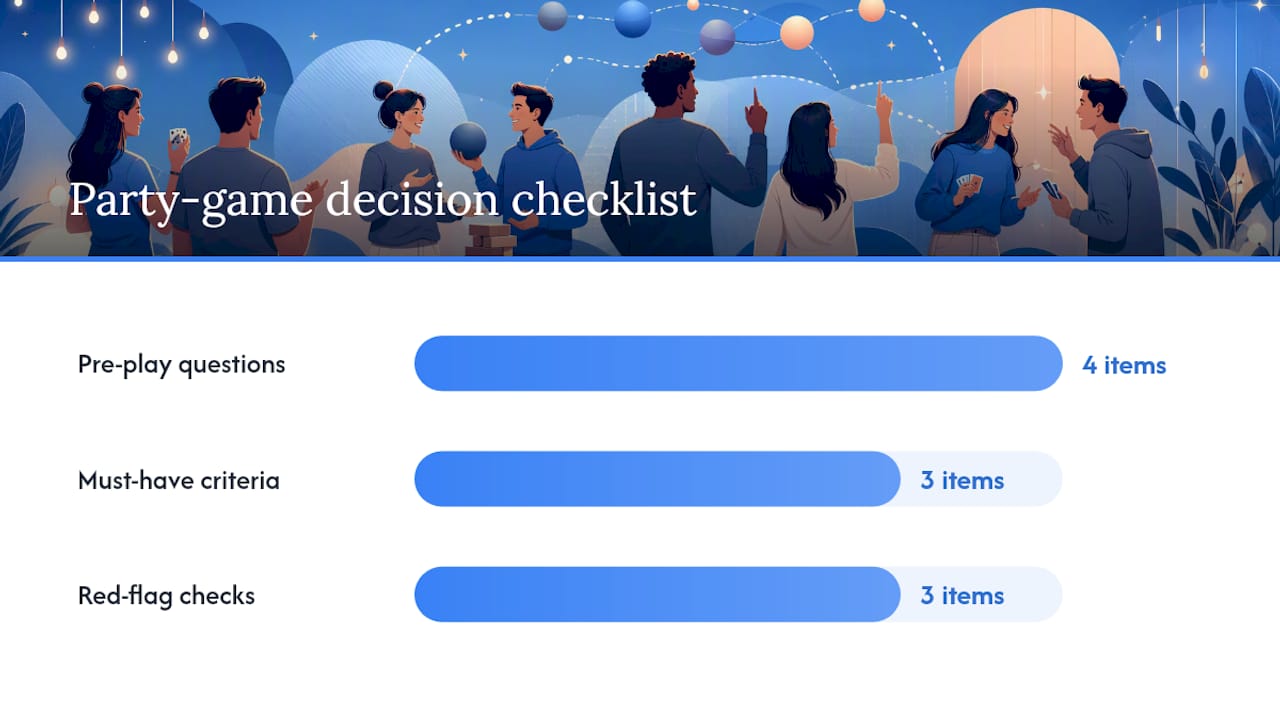
Ask your group these four questions first:1. How many of us are actually playing tonight, and does that number match the game's sweet spot?
2. Do we want competition, cooperation, or pure social chaos?
3. How long do we have, and does anyone need to leave early?
4. Is anyone joining from a phone, an old console, or remotely, and will the game actually let them in?
Score each candidate game against three must-haves for your specific night, whatever those happen to be (short sessions, no purchase required, kid-friendly content), and whichever title ticks the most boxes wins. It sounds almost too simple, but it beats twenty minutes of "I don't mind, what do you want to play?" every time.
Watch for these red flags before you commit:- Platform-locked modes: some games only allow crossplay in casual queues and disable it for ranked or competitive playlists, which catches groups out when they assumed full compatibility.
- Mandatory account linking: titles requiring an Epic, Steam or platform-specific account can add ten minutes of friction right when everyone wants to start playing.
- Paid guest passes or ownership requirements: always confirm whether every player needs to own the game outright or whether a free-to-play or phone-controller option exists instead.
If you're hosting something bigger than a typical game night, general party-hosting logistics advice around guest management and household setup carries over surprisingly well, even outside card games.
Setting up phones as controllers, screen-share and streaming for remote friends
Getting a mixed-device group into the same lobby is mostly about sequencing. Do these steps in order and you'll avoid the usual chaos.
1. Pick the host device first. Whoever has the biggest screen or the most stable internet should run the main game instance; everyone else connects to that.
2. Generate the room code. Jackbox-style titles display a short code on the host screen; players type it into a browser on their phone rather than installing anything.
3. Confirm phone requirements. Most phone-controller games only need a modern browser and Wi-Fi or mobile data, no app download required.
4. Set up screen-share for anyone without the game. Discord, Zoom or Steam Broadcast all let remote friends watch and, in supported titles, vote or interact without owning a copy.
5. Link accounts the night before, not the night of. If a game requires an Epic, Steam or PlayStation Network account, get that sorted in advance.
6. Test voice chat separately from game audio. Discord voice channels tend to be more reliable than in-game voice for large groups.
7. Run a five-to-ten minute lobby test before the official start time. A short test run catches connection issues before they eat into your actual game night.
Pro Tip: If someone's connection keeps dropping mid-lobby, have them switch from Wi-Fi to a wired connection or mobile hotspot before troubleshooting anything else. It resolves more join failures than any in-game setting.Diagnosing a stuck lobby usually comes down to three things: a firewall blocking the game's port, an outdated app version on one device, or someone typing the room code wrong. Check those three before assuming the whole session is broken.
Why PickThe.Games is the quickest way to settle what to play
Scrolling through options while your group loses interest is the actual enemy of a good game night, not a lack of good games. PickThe built its entire tool around solving that specific moment.
The database runs past 6,000 games, covering everything from the Jackbox-style phone-controller titles above to competitive picks like Rocket League. Instead of debating in a group chat, you create a board, add candidate games, and everyone swipes and votes in real time. A built-in veto system lets anyone knock out a title nobody actually wants to play, without a lengthy argument about it.
- Create a board and drop in your shortlist (or let the database suggest crossplay-friendly options)
- Invite the group and let everyone swipe or vote simultaneously
- Use the veto to cut anything that won't work for your platform mix
- Land on a pick within minutes, not a group chat's worth of back-and-forth
Discord integration means this can happen directly inside the voice channel you're already using, so nobody has to leave the call to sort out logistics. That's the whole point: less deciding, more playing.
Where to check crossplay compatibility before you commit an evening
Guessing at compatibility is how game nights fall apart at the last minute. Before you invite anyone, check the game's official store page first, since Steam and PlayStation Store listings state crossplay support and player counts directly in the product description, and these get updated when developers change support.
Industry roundups fill the gaps official pages don't always spell out clearly. Outlets like TechRadar and Gamespot maintain running lists of crossplay titles and flag the common caveats, such as ranked modes disabling cross-platform matchmaking even when casual play supports it fully.
For a faster answer than digging through several store pages, Pickthe's own crossplay compatibility checker lets you input your group's platforms directly and see which titles will actually let everyone in, rather than relying on memory or last month's patch notes. That matters more than it sounds. Crossplay support changes with updates, sometimes added, occasionally removed for competitive integrity reasons, so a game that worked for your group six months ago isn't guaranteed to work the same way tonight.
What most party game guides get wrong about crossplay
Most recommendation lists treat crossplay as a simple yes or no checkbox, and that's where they mislead readers. The real friction isn't whether a game supports cross-platform play in theory. It's whether that support survives contact with your specific group: the friend on a five-year-old laptop, the one who refuses to make another platform account, the person joining from a phone with patchy Wi-Fi.
That's why phone-as-controller titles like The Jackbox Party Starter deserve more credit than they usually get in "best of" lists. They sidestep hardware entirely rather than just supporting multiple platforms, and that's a meaningfully different, more reliable kind of accessibility. Free-to-play options like Fall Guys and Among Us matter for the same reason: cost is a barrier just as real as hardware.
The conventional advice to "just check if it has crossplay" isn't wrong, but it's incomplete. Check the mode-specific caveats, check whether local co-op and online crossplay are actually the same thing (they often aren't), and prioritise the games that ask the least of everyone joining. Low friction beats a longer feature list every time you're trying to start playing within ten minutes of everyone showing up.
> — PickThe
Get your game night decided in minutes, not group chats
Pickthe is the fastest way to skip the "what do you want to play" spiral that kills momentum before a session even starts. Instead of scrolling separate store pages or arguing in a group chat, everyone swipes through real candidates together and votes in real time.

The workflow is simple: create a board, add a handful of games from the picks above (or let the 6,000-plus database suggest crossplay-friendly options for your exact platform mix), invite your group, and let everyone swipe. The veto system removes anything nobody wants, and Discord integration means it all happens without leaving the call you're already on. If you're not sure what your group can even play together, start with the crossplay compatibility checker to see your options before you open a board. There's no cost to try it and no account required to start swiping tonight.
Sources
- Best crossplay games | TechRadar
- Fun party games for large groups | Jackbox Games (blog)
- Party Club: Hangry Animals on Steam
- Best cross-platform games | Gamespot